

NextGen Updates – April 2026

1. Restrict Operations on Closed Opportunities
What’s the Benefit
Protect closed opportunities from unintended edits by non-admin users and maintain the integrity of finalized deals. Admins continue to have full control, while NextGen now matches existing Platform behavior for this setting.
What’s New
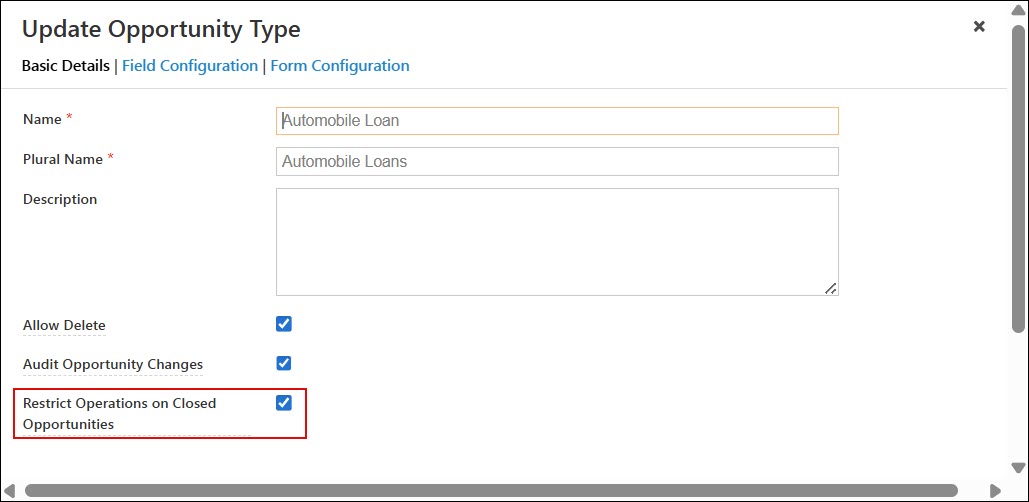
Admins can now enable the Restrict Operations on Closed Opportunities setting for each opportunity type to restrict non-admin users from performing actions on won or lost opportunities. When enabled, action buttons are disabled on closed opportunities, except for Notes, Automation Reports, Emails, and lead-related actions like Lead Edit and Send Email.
To enable this, navigate to Settings>Opportunities>Opportunity Types and edit the relevant Opportunity Type. On the Basic Details page, ensure Restrict Opportunities on Closed Opportunities is enabled.
2. Opt-Out Status Now Visible on Lead vCard
What’s the Benefit
Give users better visibility into a lead’s communication preferences directly from the lead vCard. This helps teams avoid unwanted communication and make more informed outreach decisions quickly.
What’s New
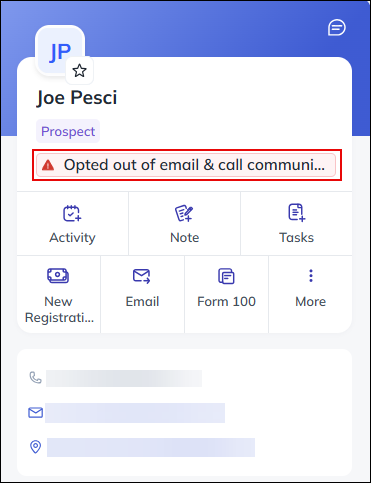
The lead vCard, available in Lead Details, Global Search, and quick view, now displays additional communication-related information. Users can now view a lead’s opt-out status through contextual messages such as “Opted out of email communication” or “Opted out of email & SMS communication,” based on the lead’s Do Not Call, Do Not SMS, and Do Not Email preferences.
3. Landing Page Pro Activity Details Now Supported in Advanced Search
What’s the Benefit
Help users perform more precise searches by filtering landing page form submissions using detailed activity-specific information. This improves visibility into lead interactions and streamlines data analysis.
What’s New
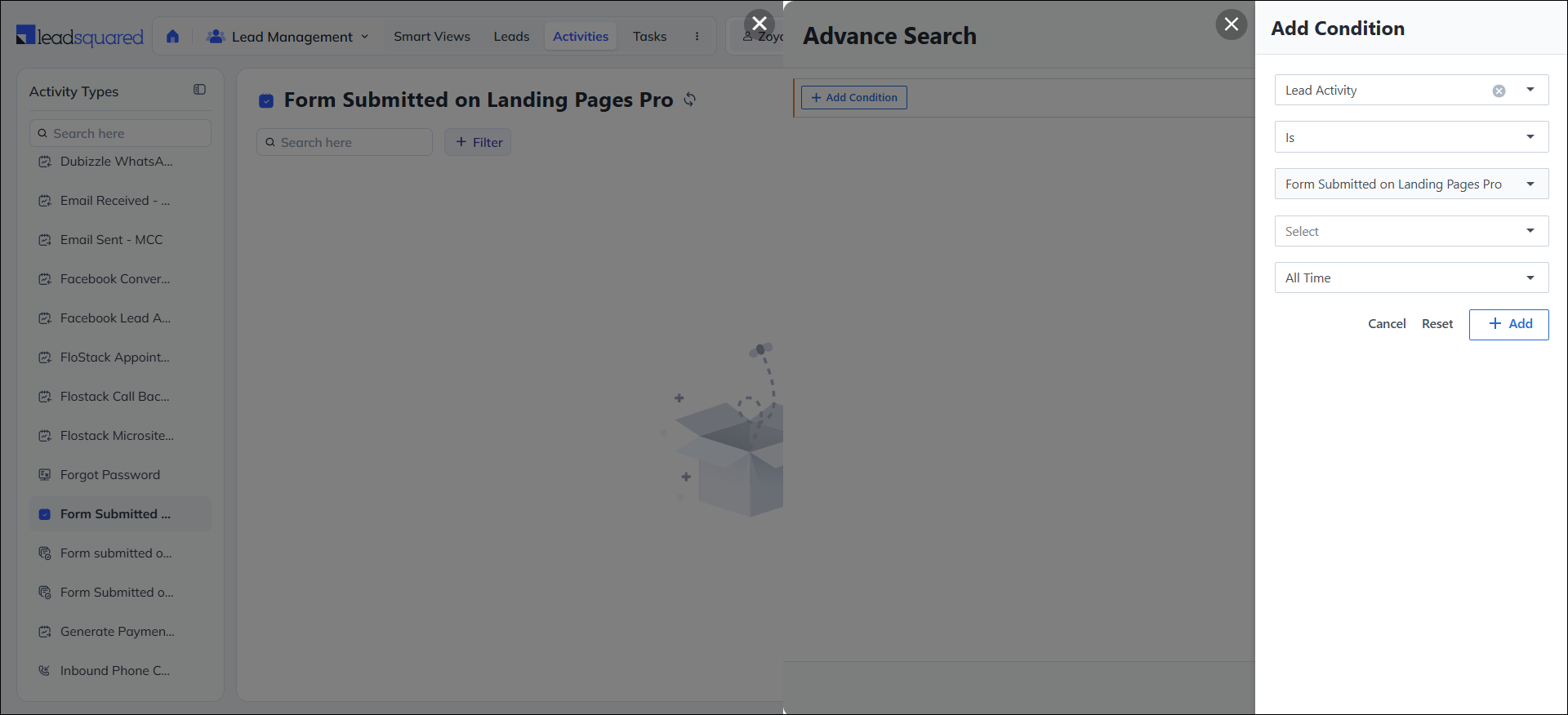
Advanced Search in NextGen now supports detailed filtering for the “Form Submitted on Landing Page Pro” activity. Users can apply filters based on activity-specific attributes such as form name and submission-related details. This update brings the NextGen Advanced Search experience in line with the existing Platform functionality for this activity type.
4. Manage Users Now Accessible from the Profile Menu
What’s the Benefit
Makes user management faster and more convenient by providing direct access to the Manage Users page within NextGen. This reduces navigation effort and improves the overall admin experience.
What’s New
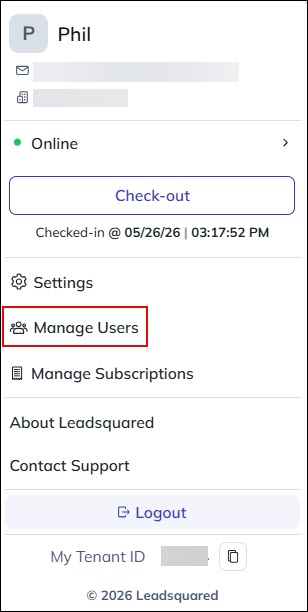
The Manage Users page is now available directly from the profile menu in NextGen. It has been added between the Settings and Manage Subscriptions options, allowing users to quickly access and manage team members without switching to a separate setting screen.
5. “Add Lead” in Global Search Now Follows Form Process Configurations
What’s the Benefit
Ensure a more consistent lead creation experience by respecting the custom processes and forms configured in Manage Leads. This helps users capture lead information using the correct workflows and field configurations.
What’s New
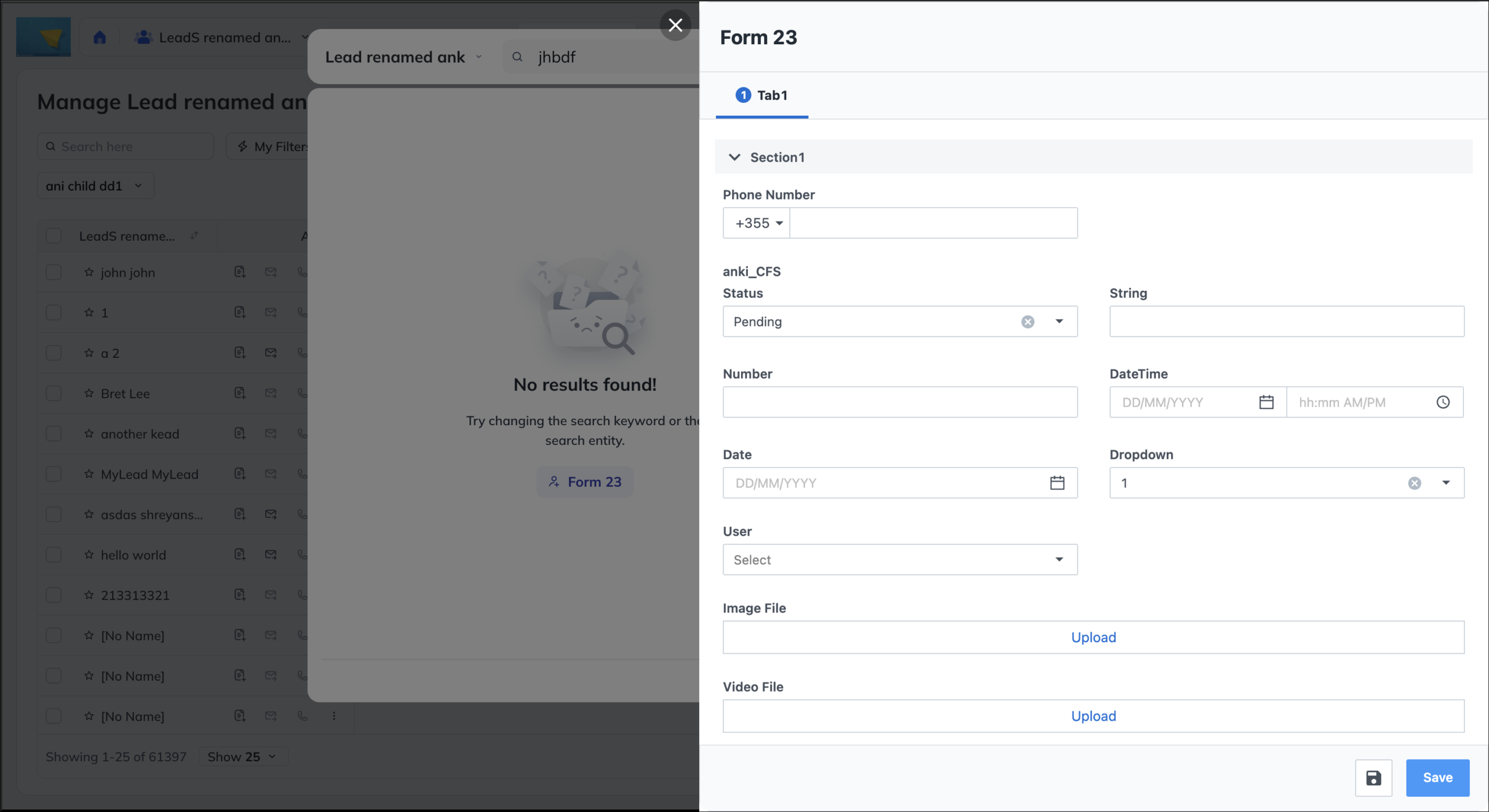
When a lead is not found in Global Search and the user selects “Add Lead,” the lead creation form now follows the same process and form configurations defined in Manage Leads.
Previously, the action always opened the default lead form, ignoring any custom configurations set by admins. With this update, users now see the appropriate configured form and process directly within the Global Search flow.
6. Wider Filter Dropdowns
What’s the Benefit
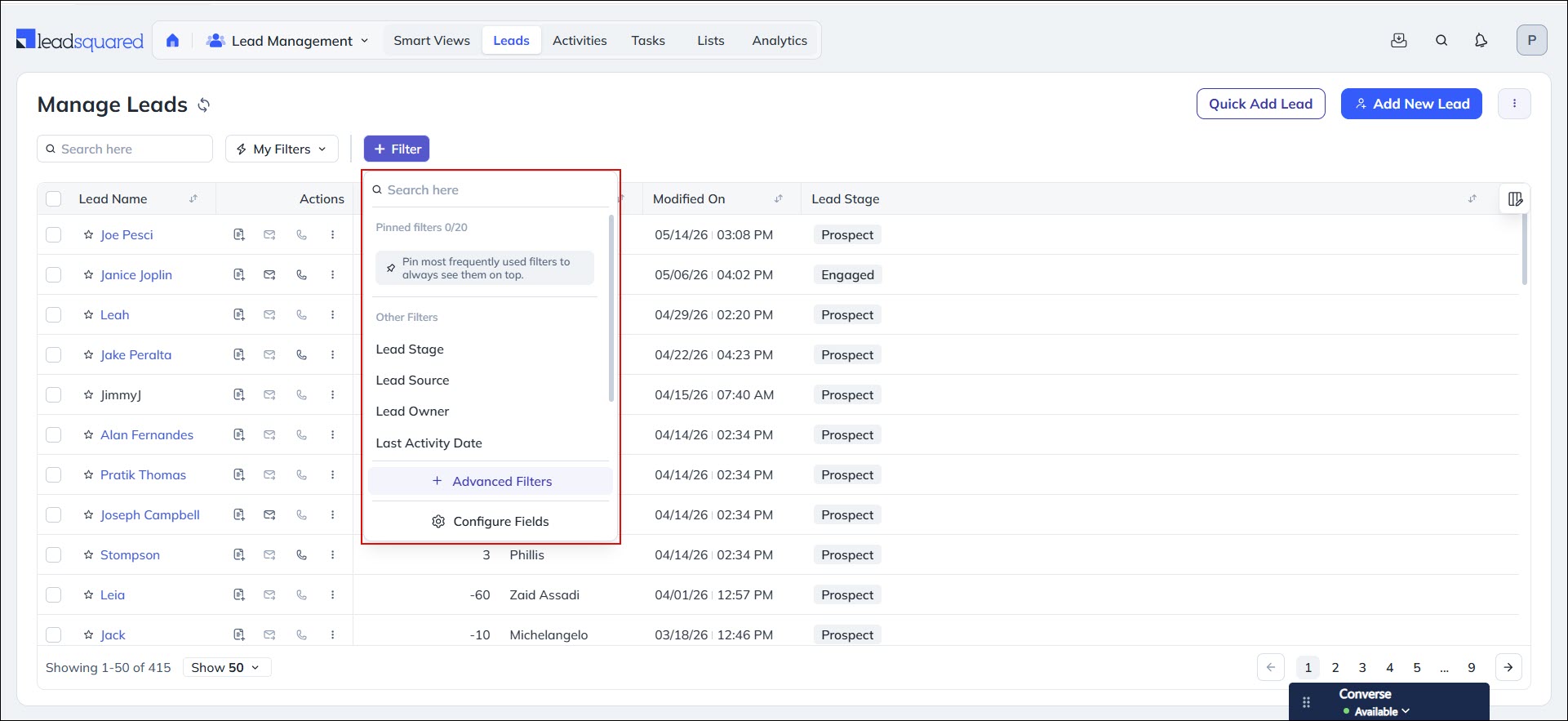
Improved readability and usability in filters by making long option values easier to view and select without getting cut off.
What’s New
Filter dropdown menus across NextGen, including Smart Views, are now wider to better accommodate long option values. This ensures users can read filter options more clearly without the text being cut off.
7. Field-Level Export Permissions Now Supported
What’s the Benefit
Provide better control over sensitive data by allowing admins to restrict which fields users can export. This helps organizations improve data security and ensure only authorized information is shared during exports.
What’s New
Admins can now configure export restrictions through Permission Templates to control which fields users are allowed to export. These restrictions apply to Leads, Opportunities, and Activities exports. When a user exports data, only the fields permitted in their assigned Permission Template are included in the export file. Restricted fields are automatically excluded from the export output. Admin users are not affected by these restrictions and continue to have full export access.
8. Service Pages Retain State on Navigation
What’s the Benefit
Save time and improve productivity by preserving users’ context when navigating between pages, eliminating the need to reapply filters or reselect views.
What’s New
When users navigate from Manage Tickets to a ticket’s detail page and then return, the page now retains the previously selected view and filters instead of resetting to the default view. This behavior is also supported in Service Dashboard and Ticket Reports, ensuring a more seamless navigation experience across Service pages.
Bug Fixes
- Fixed an issue where Smart View data failed to load and returned a 500 internal server error for certain users.
- Fixed an issue where email sent activities from campaign lists were not visible in Activity History.
- Fixed an issue where a data discrepancy was seen between Smart Views and the Manage Tasks page when applying task-type and task-status filters.
- Fixed an issue where certain Smart View filters were not returning the correct results.
- Fixed an issue where Restriction Templates configured by admins were not fully enforced in NextGen, allowing restricted users to access or view hidden features, menu items, and work areas inconsistently.
- Fixed an issue where the Bulk SMS action in NextGen did not fully respect Permission Template settings, causing unauthorized users to see or access Bulk SMS functionality.
- Fixed an issue where referral lead creation was failing.
- Fixed an issue where emails could not be shared from admin accounts.
- Fixed an issue where Exotel call recordings were not accessible within the account.
- Fixed an issue where CTM call recordings were not accessible in NextGen, even though they were available on the CTM platform.
- Fixed an issue where saved filters (My Filters) were not loading after being edited, causing the view to keep loading or show no records.
- Fixed an issue where user-specific column preferences, including pinned columns, were not retained after a page reload or re-login.
- Fixed an issue where Activity History on Smart Views showed no data when navigating between leads and returning to a previously viewed lead.
- Fixed an issue where certain vCard fields (Gtalk and Google+) configured via Lead Details View Configuration were not displayed in NextGen.
- Fixed an issue where HTML email templates were not rendering their correct formatting when viewed through Activity History on the Lead Details page.
- Fixed an issue where strict search was not returning exact match results when searching by Opportunity name in Manage Opportunities.
- Fixed an issue where the email subject line did not update when switching to a different email template while composing an email.
- Fixed an issue where the date and time shown in the Send Email modal did not match the timestamp recorded in Activity History.
- Fixed an issue where CSV imports were failing at the Rules step with an “Error processing request” message.
