

NextGen Updates – May 2026

Restrict Email Sending Per User Role
What’s the Benefit
Get greater control over email communications by allowing admins to decide which users can send emails. This helps organizations meet compliance requirements, reduce the risk of unauthorized outreach, and maintain better governance over customer communications.
What’s New
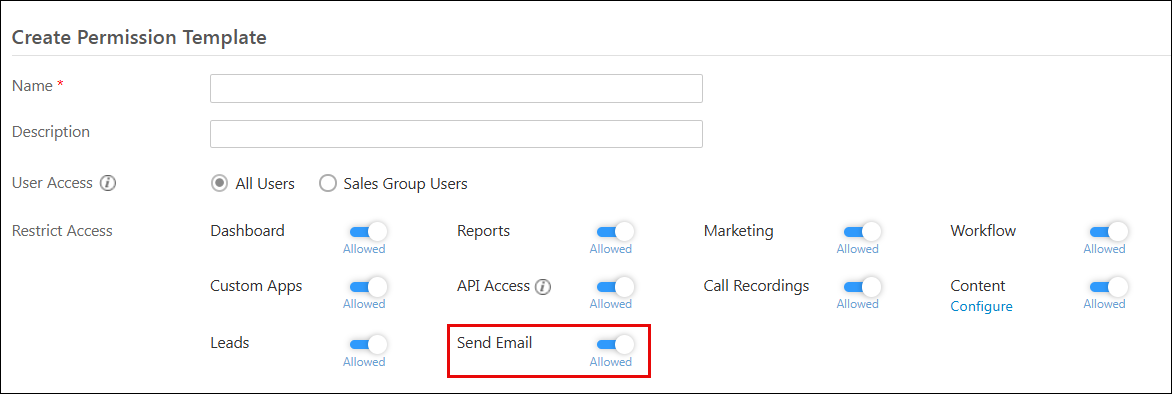
Admins can now configure a Send Email permission in Permission Templates to control which users can manually send emails. When this permission is disabled, the Send Email action and all email-related options, including bulk email and Smart View email actions, are hidden across supported modules. Any attempt by restricted users to send emails through direct URLs or custom actions is blocked at the API level, and an error message is displayed.
The Send Email permission is enabled by default for all existing Permission Templates. Automated emails triggered through workflows continue to function normally, as the restriction applies only to manually initiated emails.
Hide CC and BCC Fields in Email Composer
What’s the Benefit
Simplify the email sending experience and align it with your organization’s communication policies by controlling whether users can see the CC and BCC fields. This helps reduce unnecessary options and keeps email composition focused on the recipients that matter.
What’s New
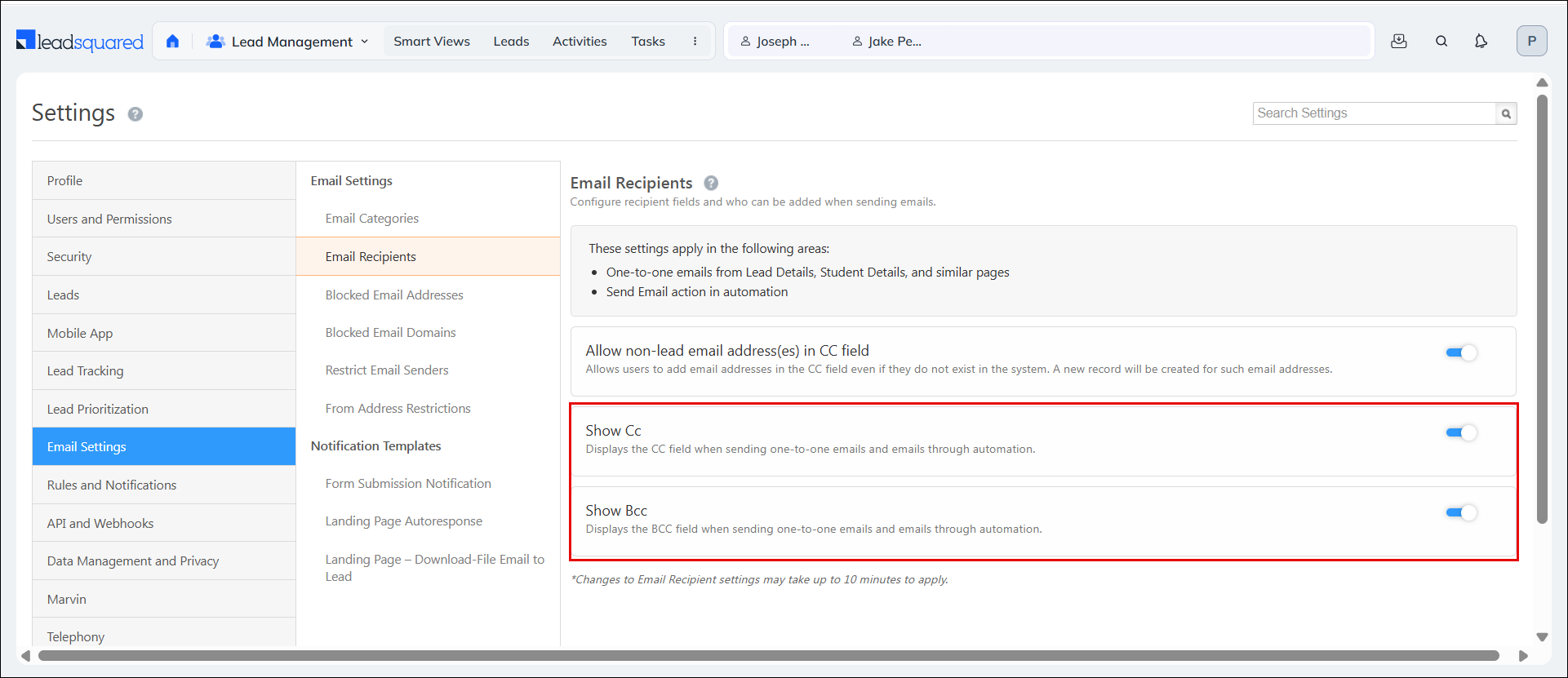
Two new settings, Show CC and Show BCC, are now available on the Email Recipients settings page. Admins can use these settings to control whether the CC and BCC fields are displayed when users send emails. When a setting is disabled, the corresponding field is hidden across all email sending flows, including Smart Views, Manage Leads, and email actions available on Leads, Opportunities, and Objects. Both settings are enabled by default, so existing email behavior remains unchanged unless an admin explicitly updates the configuration.
Recipient Email Address Now Visible in Email Activity Cards
What’s the Benefit
You can quickly verify who an email was sent to without leaving the Activity History. This makes it easier to track email communications and validate recipients.
What’s New
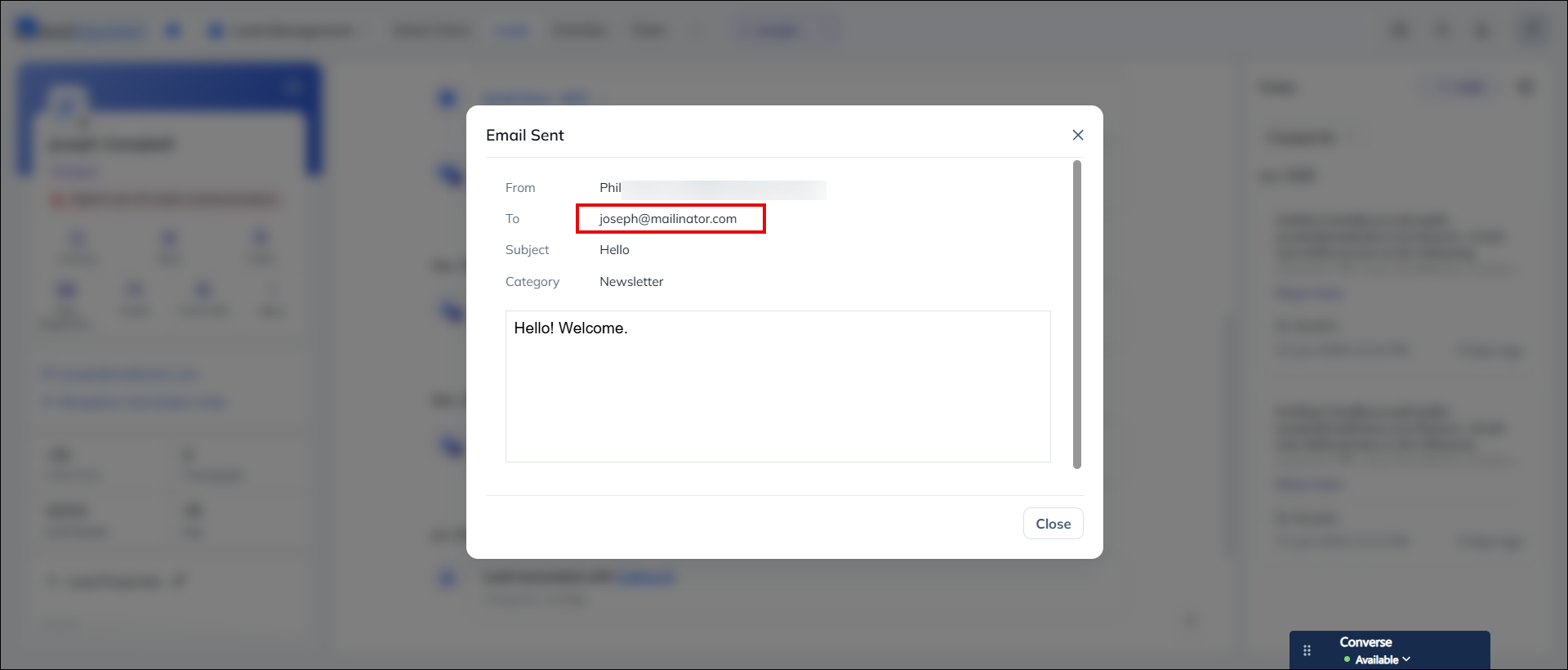
When an email is sent to a lead, you can now view the lead’s email address directly from the email activity on the Lead Details page under the Activity History tab. Previously, recipient information was not shown in the activity details.
Email Credit Exhaustion Notification in Send Email Screens
What’s the Benefit
You get early visibility into your organization’s email credit status, helping you avoid failed email attempts and take action before communication is interrupted.
What’s New
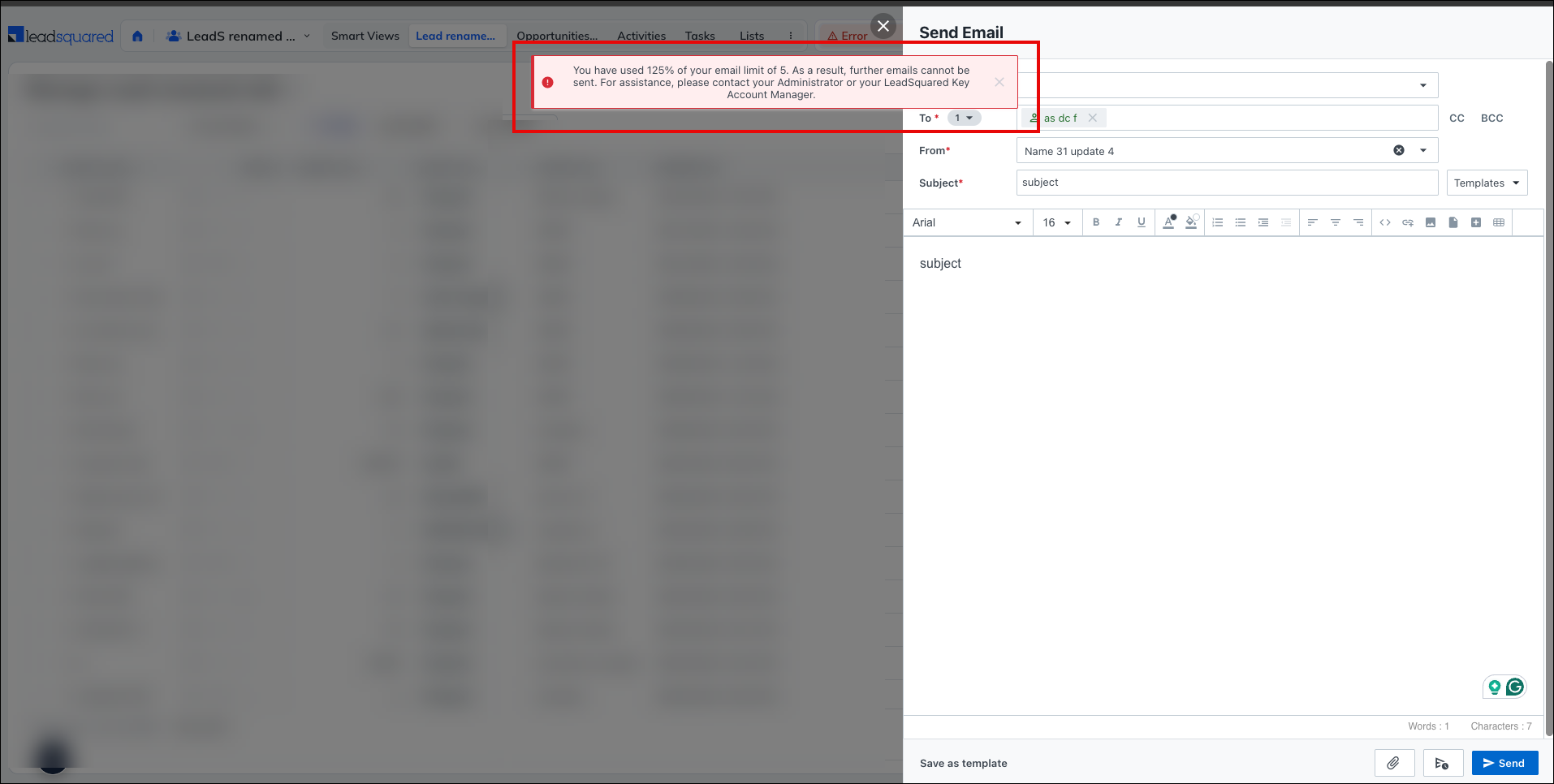
The Send Email popup now displays a notification when your organization’s email credits are running low or have been exhausted. This alerts users before they attempt to send an email, allowing them or their admins to replenish credits and prevent email delivery failures.
Default Columns Can Now Be Unpinned and Removed
What’s the Benefit
Customize grid layouts more freely to match the way you work. By controlling which columns stay pinned, you get a more flexible and personalized view of your data.
What’s New
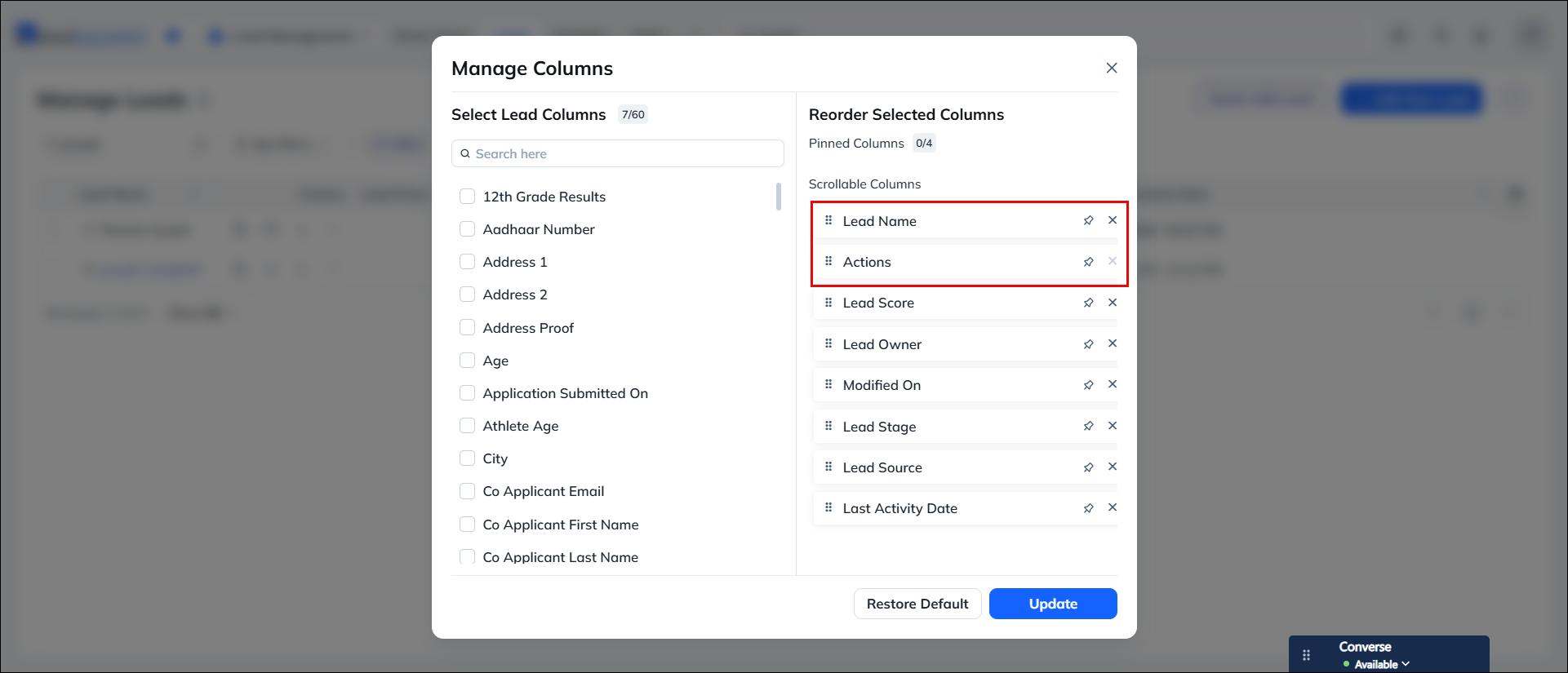
Users can now unpin and remove the primary column from grids across Smart Views and Manage pages. In addition, the Actions column can be unpinned, allowing it to move with the rest of the grid during horizontal scrolling. While the Actions column can be unpinned, it cannot be removed entirely. This update provides greater flexibility when configuring grid layouts and viewing records.
Auto-Refresh Intervals for Smart Views
What’s the Benefit
Keep Smart Views up to date automatically without manually refreshing the page. This helps you stay on top of time-sensitive data, while allowing admins to configure refresh intervals that suit different user roles and workflows.
What’s New
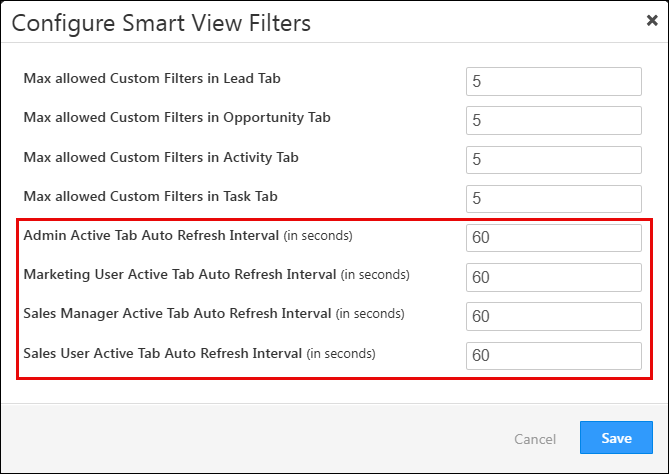
Smart Views in NextGen now support the auto-refresh interval configured in Configure Smart Views under Advanced Configuration. The active Smart View tab automatically reloads its data at the configured interval, ensuring users always see the latest information. Admins can configure different refresh intervals for different user roles, allowing teams to balance real-time visibility with operational requirements. This is especially useful for dynamic views such as sales pipelines, task boards, and other frequently updated workspaces.
See Who Else Is Viewing a Lead in Real Time
What’s the Benefit
You can easily see who else is viewing a lead, helping your team avoid duplicate work, reduce conflicting updates, and collaborate more effectively on shared records.
What’s New
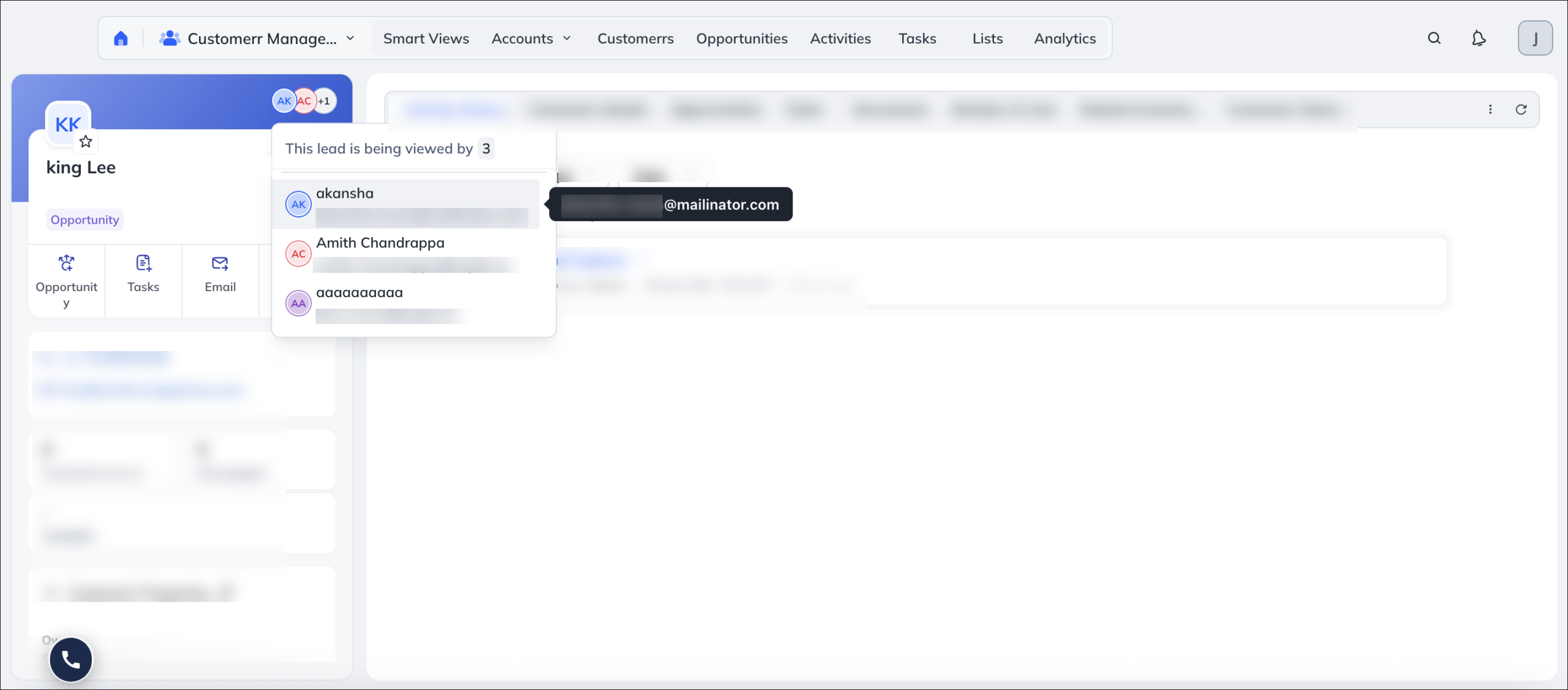
A new notification is now displayed on the Lead Details page when multiple users are viewing the same lead at the same time. The notification shows the names of other users who currently have the lead open, providing greater visibility into ongoing activity. This helps teams coordinate their work more effectively and prevents accidental overlaps when updating lead information.
Bug Fixes
- Fixed an issue where the Lead Stage field was missing when copying lead data from the Manage Leads grid in NextGen.
- Fixed an issue where call recording play and download options were not visible on the Lead Details page, even when the recording was available and accessible from Manage Activities.
- Fixed an issue where column sorting was not being applied when a quick search was already active on a grid.
- Fixed an issue where fields in the Primary Association grid were showing as [Empty] when adding an object association.
- Fixed an issue where field values submitted through a dynamic form during object creation were not reflected on the object details page, even though they appeared correctly in the form submission activity.
- Fixed an issue where a secondary association was not automatically visible on the linked object type when a primary association was created between two object types.
- Fixed an issue where the “Call via Nudge” action from Lead Actions was not triggering the mobile dialer in NextGen, even though it worked correctly in the old UI.
- Fixed an issue where opening a static list from the Manage Lists module was failing with an error.
- Fixed an issue where clicking a custom tab configured for Portal Auto Registration was returning a “Bad Request” error, caused by a double slash being incorrectly appended to the webhook URL.
- Fixed an issue where certain users were unable to send emails due to a JavaScript error in the send email flow.
- Fixed an issue where email replies sent from the Opportunity page were being logged against the Lead’s activity timeline instead of the Opportunity’s activity history.
- Fixed an issue where the Secondary Association grid was displaying records from the wrong entity type, making the reverse association view show incorrect data.
