

LeadSquared Mobile App Updates – Android (v22.8)

Global Search on the Mobile App
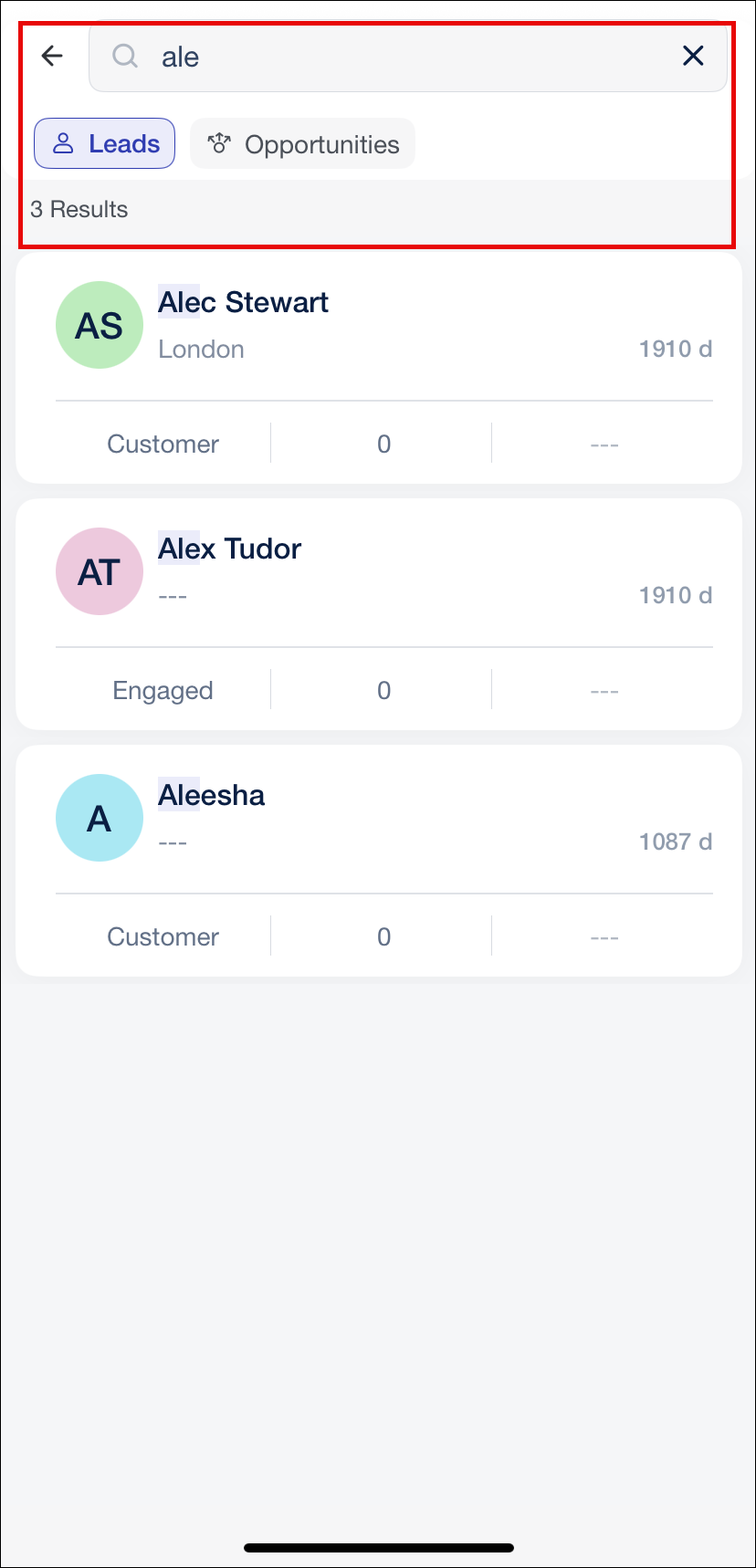
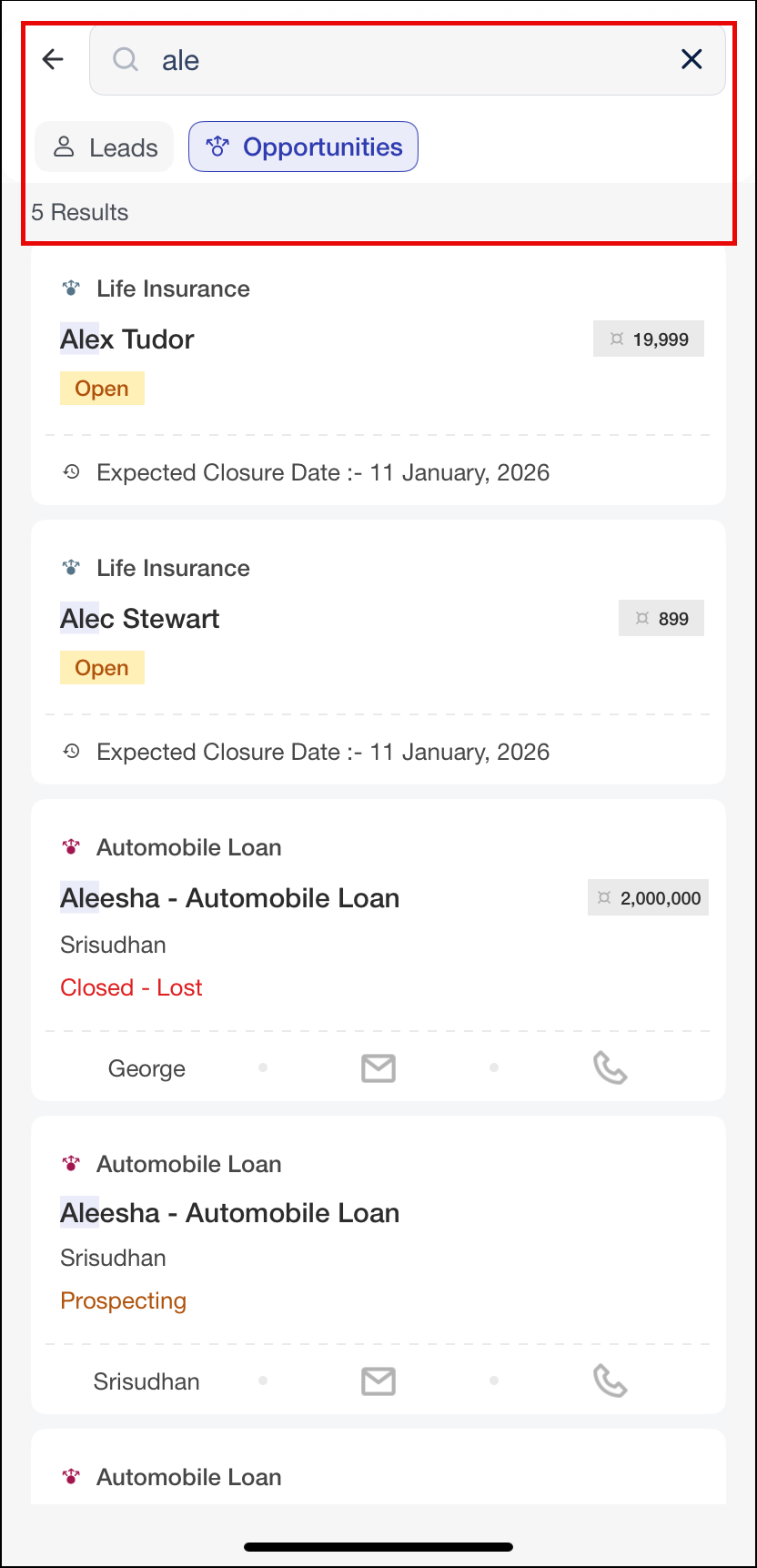
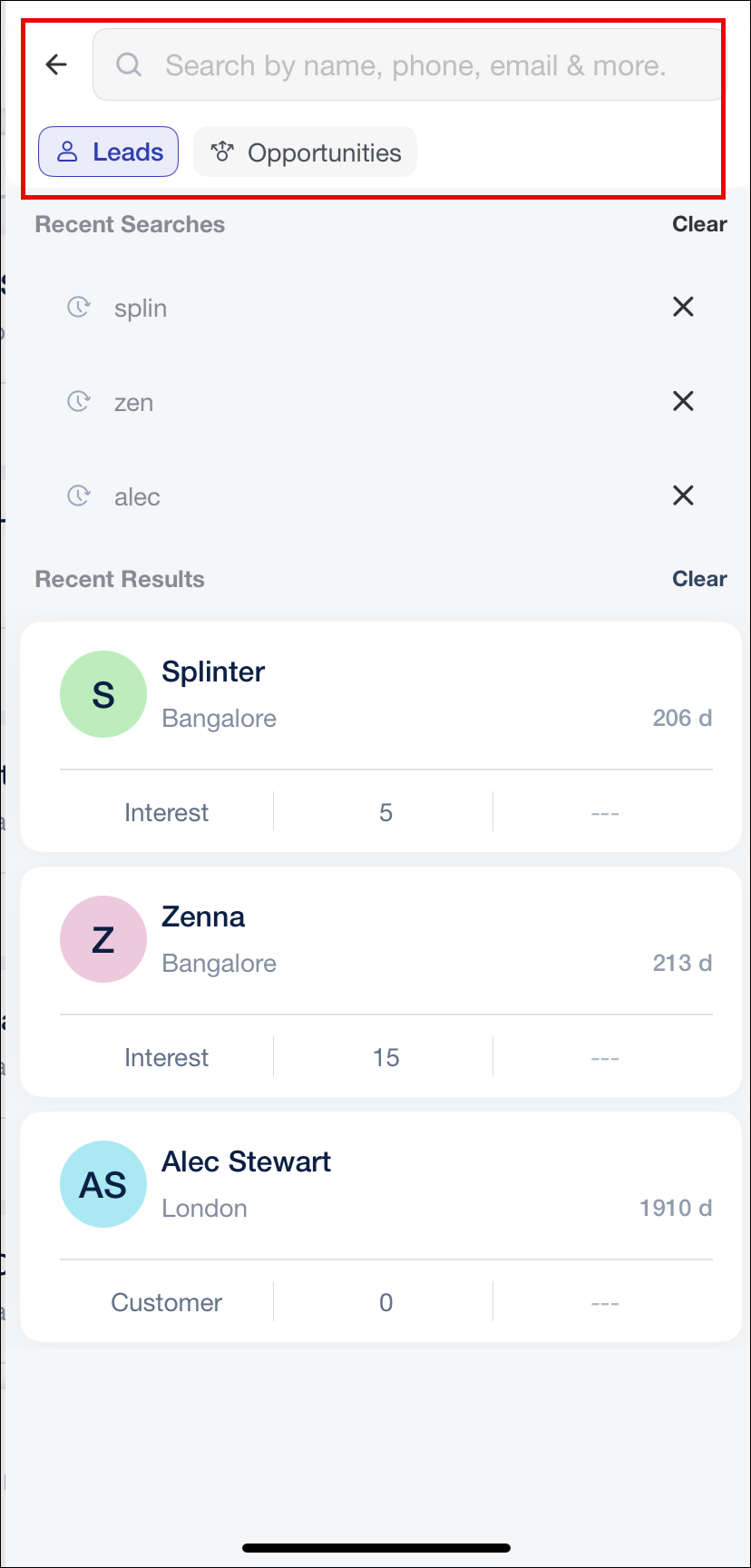
With the Global Search feature on the mobile app, you can search across entities without navigating through multiple tabs. Experience an efficient unified search accessible directly from the Lead List, Opportunity List, and the Casa Homepage.
Search across Leads, Opportunities, and Object Types (if enabled), accessible from the Lead List, Opportunity List, or Casa Homepage. Results are organized into entity-specific tabs, with the tab corresponding to the source screen selected by default, and you can switch between tabs without re-entering your search keyword. Partial search is enabled by default, matched keywords are highlighted in the results, and up to three recent search keywords and three recently opened records are available for quick access. Search results display the total count, load in batches of 10 with pagination for better performance, and tapping a result opens the corresponding record.
User Check-In Status Widget Supports Reporting-To Hierarchy
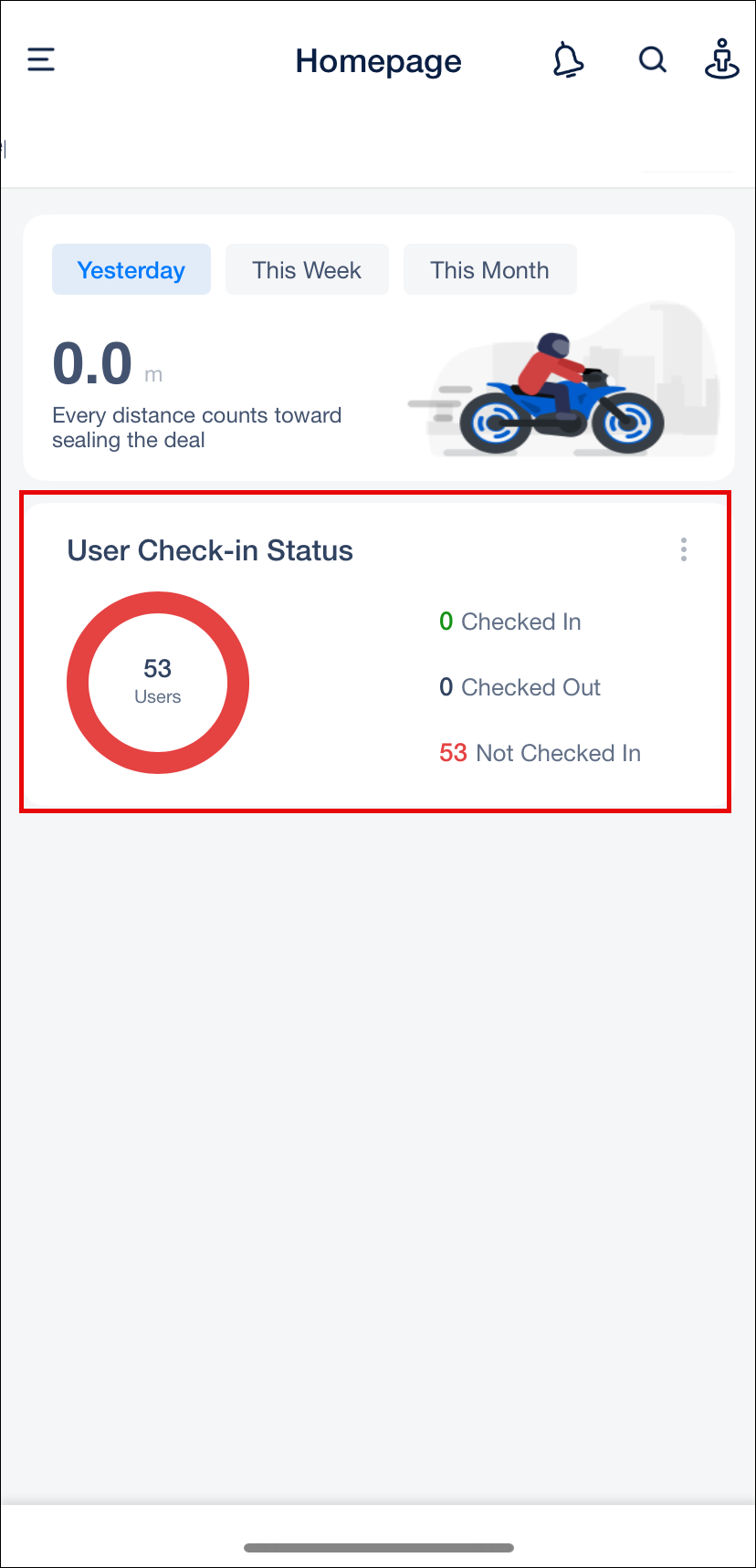
Reporting managers can now view the check-in and check-out status of their direct reportees. The User Check-In Status widget in Casa now supports the Reporting-To hierarchy, in addition to the existing Sales Group hierarchy. Previously, reporting managers on the accounts where Reporting-To hierarchy was enabled did not get visibility into their team’s attendance from the Casa Homepage. With this enhancement, check-in visibility is consistent for all manager types regardless of their organizational hierarchy.
Note:
- The widget will be hidden for Admin users unless they are a reporting manager for at least one user.
- Team member count displayed in the widget excludes the currently logged-in user.
Bug Fixes
- Fixed an issue with Activity list page scrolling. Removed wildcard search to eliminate frequent scrolling errors.
- Fixed an issue where SmartView Activity List was not loading correctly.
