

Forms & Processes Update – June

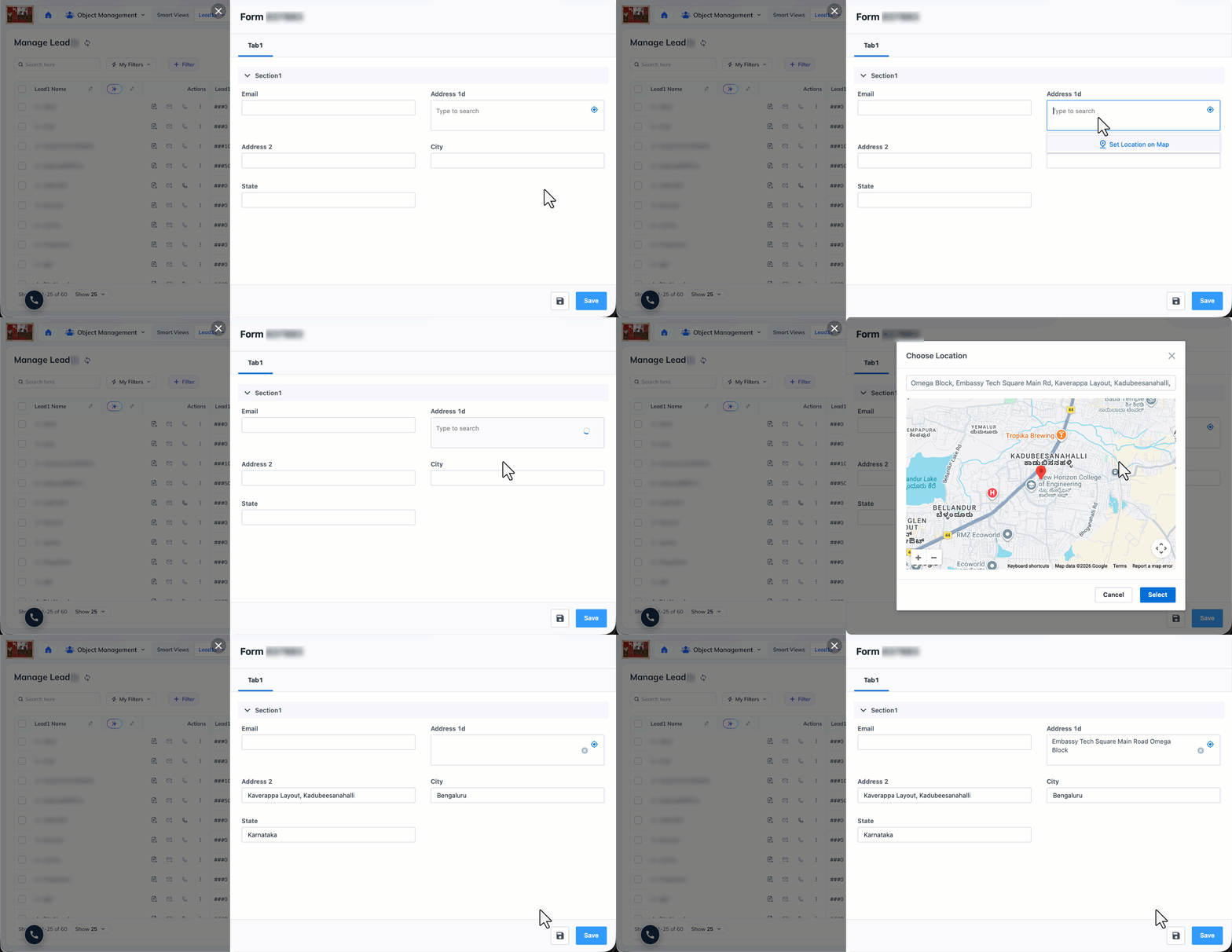
Capture addresses on a map in web app forms
This feature removes manual address entry for field teams and agents, so location data is captured faster and with fewer typos. Any workflow that relies on location data benefits from the cleaner, quicker input. This feature is only available on NextGen.
What’s new?
Forms now support location capture directly on the web app. Users can search for an address, or set location on the interactive map, and the linked address fields (Address, City, State, Country, Zip) populate automatically from the selection.
To configure this feature, refer to: Capture Addresses on a Map in Dynamic Forms.
Phone number format based on profile setting
Earlier, users saw raw digits during entry and only saw the formatted number after submission, which was confusing. The experience is now consistent with the configured format.
What’s new?
Phone number fields in NextGen forms now format input as a user types, based on the phone format configured in your company profile settings page (for example, (###) ###-#### for US tenants). Pasted numbers are auto-formatted instantly. If a field’s maximum digit limit exceeds the format’s supported length, formatting is applied up to the format’s capacity and reverts to plain digits beyond that.
Set custom success and failure messages on action buttons
Custom messages replace vague “Success” or “Error” text with the real outcome, such as confirming that an application ID was sent to ERP for verification, so users always get clear and specific feedback.
What’s new?
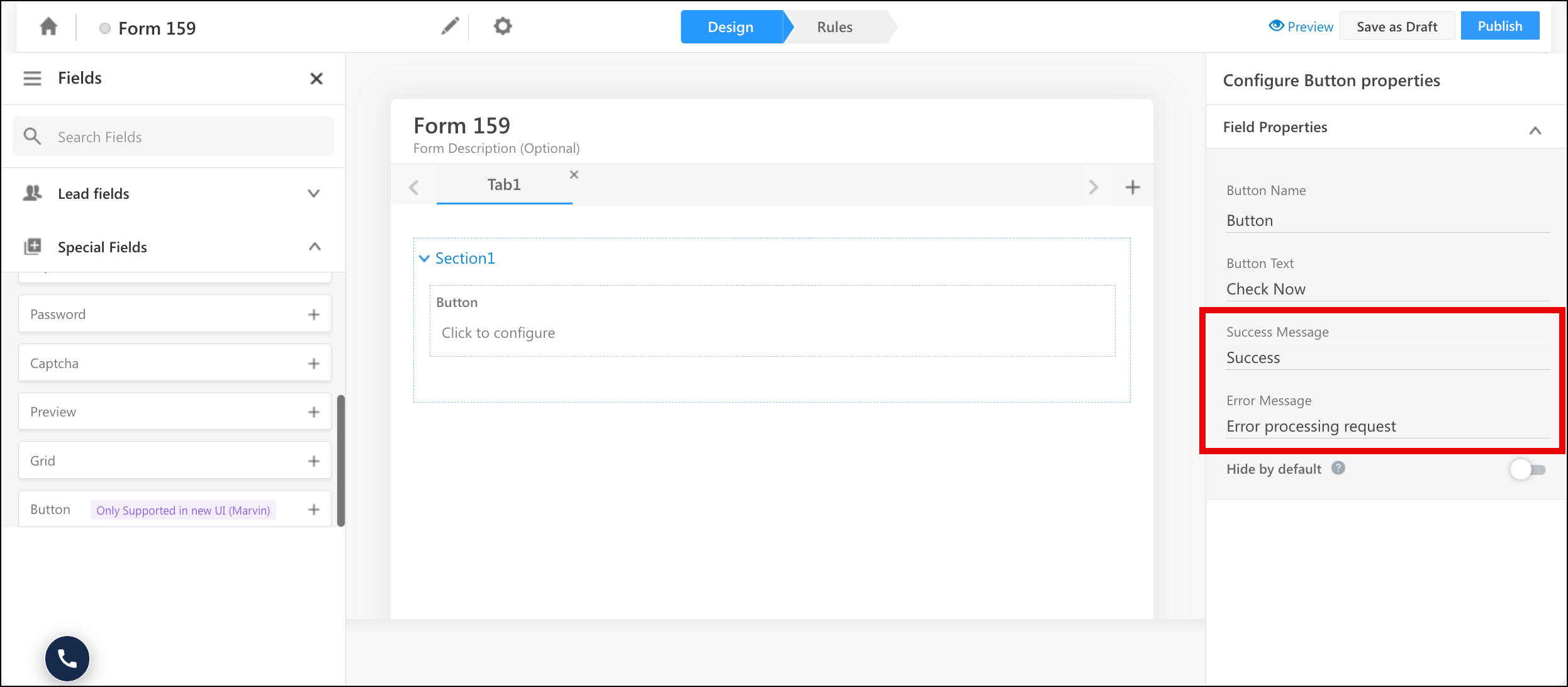
Form designers can now configure their own success and failure messages for Action Buttons in Dynamic Forms, replacing the generic system text. Messages appear immediately after a button action completes or fails, shown in green for success and red for failure. Messages support personalization tags like {{Lead.FirstName}} and can be up to 150 characters.
Associate Lead dropdown shows your custom field names
When admins rename fields to match their business terminology, those names will appear consistently across every form surface.
What’s new?
The Associate Lead dropdown in NextGen forms now displays the configured Display Name for lead fields instead of the hardcoded system label. If an admin renamed “Company Name” to “Client ID”, the dropdown now shows “Client ID”.
NextGen Enhancements
- “Before” and “After” date validation now includes today: When a date field is configured with a regex validation of “Before last 0 days” or “After last 0 days” (N = 0), NextGen now correctly includes today’s date as a selectable option. This applies across all direction, period, unit, and Render As combinations (Date, Month & Year, Year).
- Horizontal line separators render in NextGen: Horizontal line separators added in Form Designer are now fully rendered in NextGen, including correct top spacing when a line is the first element in a section and accurate display in form preview. Horizontal Line is a Special Field supported in Forms.
- Left tab placement renders in NextGen: Forms configured with the “Left” Tabs Placement setting now render with tabs on the left side as designed. On mobile, left tabs automatically collapse to top placement, and when the multi-step form setting is enabled, tabs default to top placement.
- “Remove Close Button” setting is honored in NextGen: The “Remove Close Button” setting is now configurable in NextGen. When enabled, the close and cancel control is hidden from the rendered form, preventing agents from exiting mid-submission. It’s commonly used where form completion is mandatory, such as task completion or interview flows.
Bug Fixes
- Interview appointments can now be completed and the stage moves to Interviewed correctly.
- TaskID is now passed in the LAPP logs when a task is marked complete through an L+A dynamic form with a pre-submission LAPP.
- Number fields no longer get an unwanted .00 suffix from decimal formatting.
- The Target column now displays in the filter condition for lead type tenants.
