

NextGen Updates – June 2026

Quick Add Activity Now Supported in NextGen
What’s the Benefit
You can log frequently used activities much faster without opening and completing the full activity form. This reduces clicks and helps you save time when recording activities across high-volume workflows.
What’s New
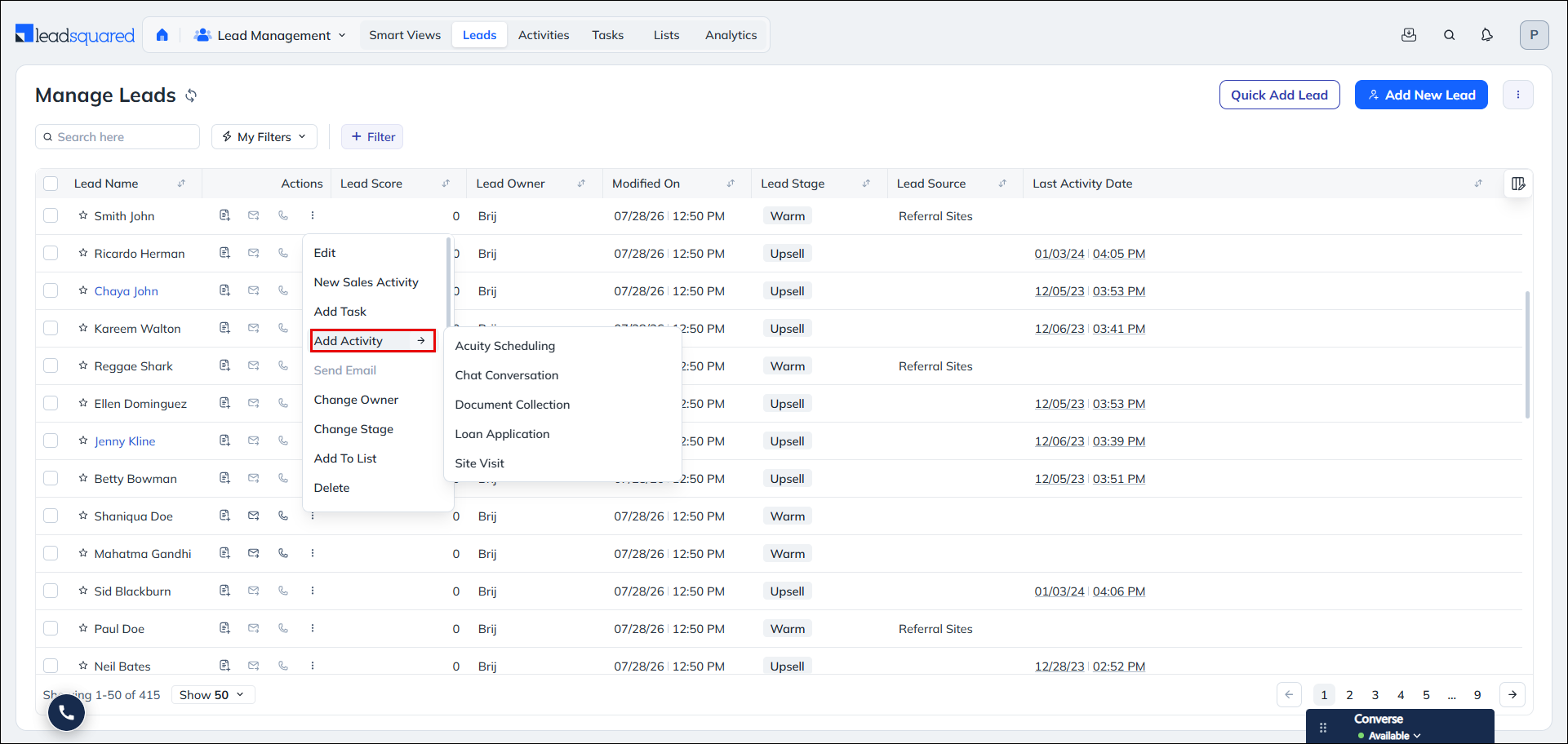
Custom activities marked as Quick Add in Activity Settings can now be logged instantly from supported Lead, Opportunity, and Object views. These activities appear when you hover over Add Activity. Clicking a Quick Add activity logs it immediately without opening the activity form. Quick Add is supported across Manage Leads / Objects / Opportunities pages, Lead / Object / Opportunity Details pages, Quick View and all Smart View tabs (Lead, Opportunity, Object, Task). In Smart Views, Quick Add activities can be configured as Quick Actions displayed as icons or More Actions in the hover menu.
A custom activity can be added to the Quick Add Activity list from the Custom Activities & Scores setting. Edit the relevant activity and on the Update Custom Activity Type popup, enable the Quick Add option and save it.
Bug Fixes
- Fixed an issue where pre-applied filters on Opportunity Smart View tabs were not showing a filter notification badge, making it unclear to users that a filter was already active.
- Fixed an issue where the Associated Account name was not displayed on the Lead details page even when the lead was linked to an account.
- Fixed an issue where pasting or typing a URL in the Notes field did not auto-create a clickable hyperlink, unlike the behaviour in the old UI.
- Fixed an issue where applying the “Form Submitted on Website” filter in Advanced Search caused the page to freeze and become unresponsive for large accounts.
- Fixed an issue where using the “Last N Days” operator on a specific Lead Activity type (e.g. Email Opened, Email Bounced) in Advanced Search did not correctly apply the date range, causing the lead count to be inaccurate.
- Fixed an issue where the Lead Stage dropdown search was disabled in the Bulk Update panel, preventing users from finding stages beyond the first 50.
- Fixed an issue where the Skype Name field was showing as blank on the Lead Properties tab and Manage Leads grid, even when a value was set.
- Fixed an issue where the “In Next N Days” advanced filter was returning leads outside the specified date range.
- Fixed an issue where exporting tasks with a relative date filter (e.g. “yesterday”) produced a blank file if the filter was applied on a prior day and not re-selected before exporting.
- Fixed an issue where printing a multi-page email template preview only printed the page currently in view, rather than all pages.
- Fixed an issue where Lead Activity fields were not visible in the Advanced Search dropdown for non-admin users, even when the user’s Permission Template granted access to activities.
- Fixed an issue where the Smart View Calendar View was displaying completed tasks even when the Smart View filter was configured to show only pending and overdue tasks.
