

LeadSquared Mobile App Updates – Android v(23.2)

Offline Mode for Opportunities and Activities
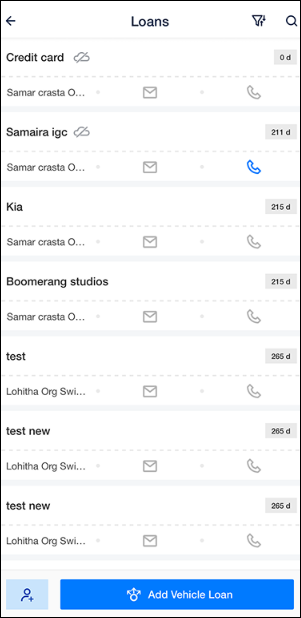
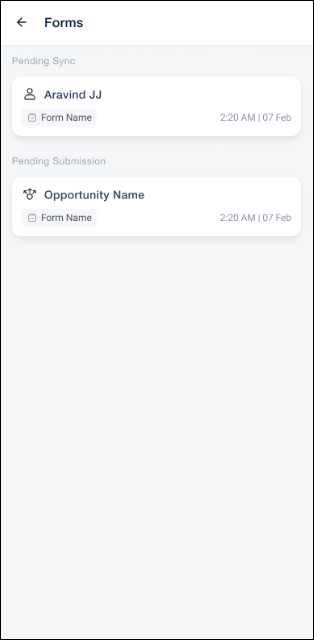
Field users can now view opportunities, add new opportunities, and log activities on opportunities without an internet connection. Records created offline are queued on the device and sync automatically once the user is back online, so visits in low-network areas are never lost. Ensure that Opportunity Offline Mode setting is enabled from the Mobile App Additional Settings. Configure the opportunity types that should be available offline using the relevant JSON.
Field Masking: Mask Value Support in Mobile Forms
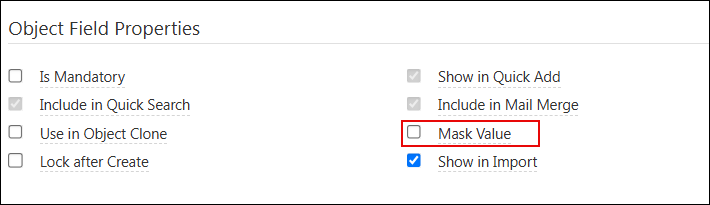
Fields marked with Mask Value on the LeadSquared Web App settings are now masked in the mobile app as users type them down in a form. Sensitive details such as Aadhaar, PAN, account numbers, or phone numbers can be hidden on screen across all mobile forms, while the actual value is saved as usual. This protects sensitive customer data from being seen by others while a field user fills a form in public. To mask a field, go to Settings>Leads>Lead Fields and under Lead Field Properties, ensure Mask Field is enabled.
Bug Fixes
- Fixed an issue where activity was getting posted by the previous owner after a lead owner change.
- Fixed an issue where activity was not getting posted in the Location History report when Marvin Forms is enabled.
