LeadSquared Mobile App Updates – Android (v22.5)

Announcements – Guaranteed In-App Communication on Mobile
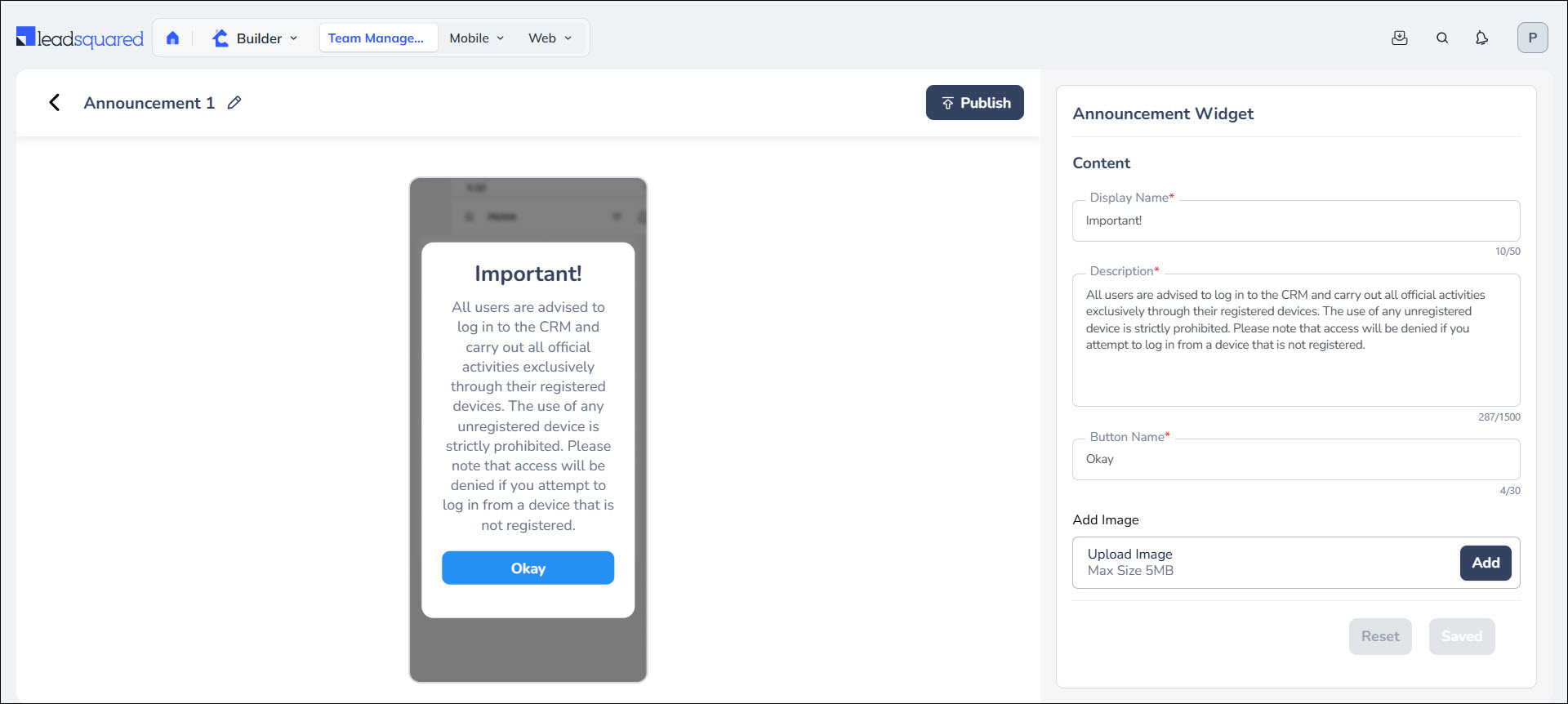
Ensure important messages are delivered with high visibility directly inside the LeadSquared Mobile App. Announcements on the LeadSquared Mobile App is a configurable popup that appears when users log in or launch the mobile app. This guarantees visibility for critical updates and reduces dependency on messaging apps or email for important communication. It also ensures field teams don’t miss product launches, pricing updates, or policy changes.
Admins can create and publish announcements from Casa on the Web App. Here, you can add custom title, description (up to 1500 characters), a Call To Action button label, and image. You can configure display schedule (Login, Daily, Alternate Days, Weekly, Monthly) and assign announcements to specific teams.
Analytics Dashboards No Longer Supported – Transition to SIERA Dashboards
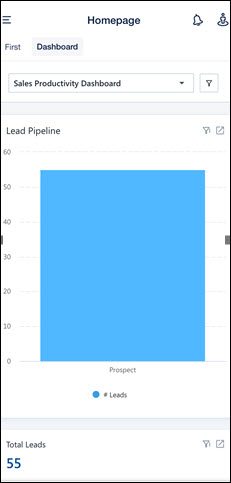
We are now transitioning from the legacy Analytics Dashboards to SIERA Dashboards as our single supported analytics platform. The old LeadSquared reports are being deprecated and will not be supported, going forward. This ensures the mobile and web apps align under one analytics framework.
Once enabled, the configured SIERA dashboards will be shown under the Dashboard Tab on the mobile homepage. If no SIERA dashboard is configured, users will see the default Sales Productivity dashboard. After enablement, you can switch between the Casa Dashboard and the Analytics Dashboard using the tabs at the top of the homepage. The new Mobile App Additional Setting called Default Dashboard lets you decide which screen opens first (Casa Dashboard or Analytics Dashboard).
Attention!
- All existing Logi-based custom analytics dashboards must be recreated in SIERA.
- Reach out to support@leadsquared.com to get SIERA Dashboard enabled.
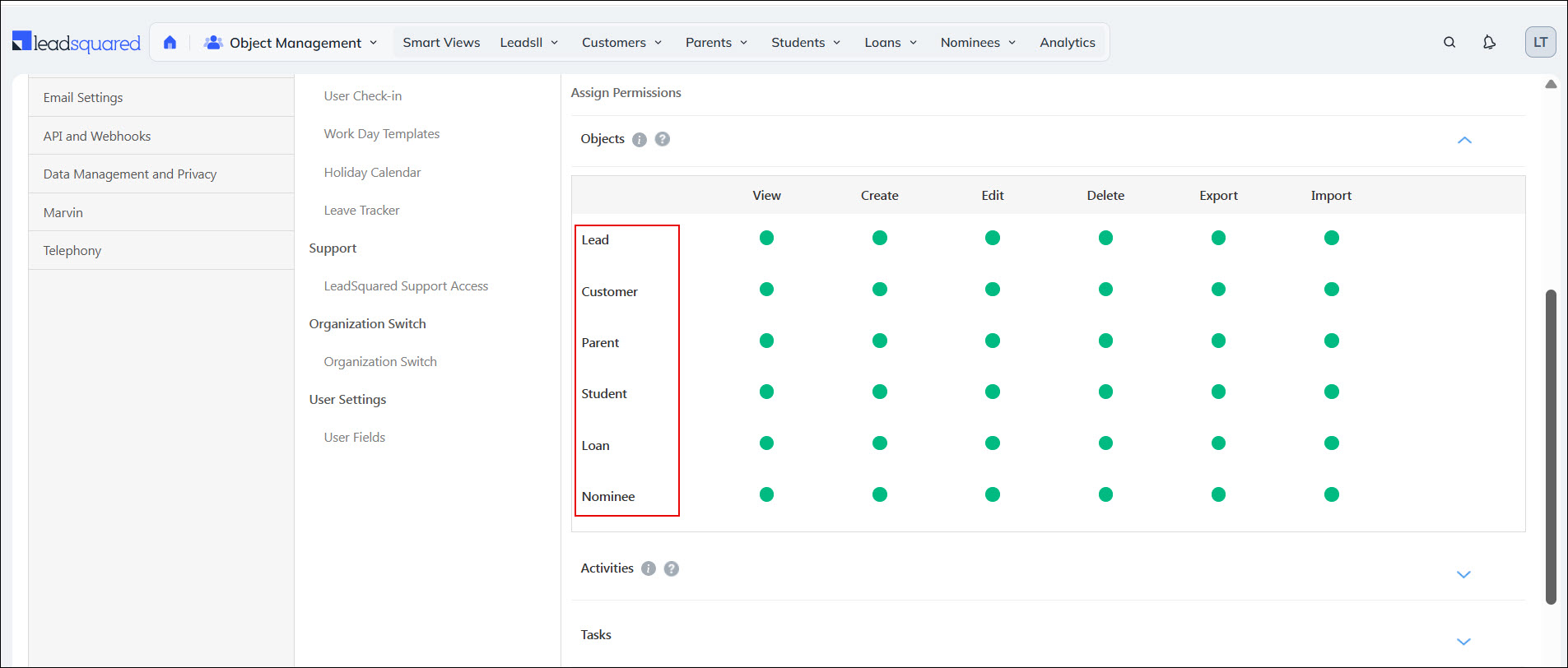
Object Types – Support for Permission Templates on Mobile
Admins can now control user access separately for each object type with the Object Type-based Permission Templates. Each Object Type appears as an individual row in Permission Templates, where admins can configure View, Create, Edit and Delete permissions.