
Announcements – Compliance Mode & Consent Capture
You can now turn announcements on the mobile app into official, trackable confirmations using Compliance Mode. This update helps you track and prove that users have seen and accepted important updates and critical information. It is useful for policies, compliance and legal communication.
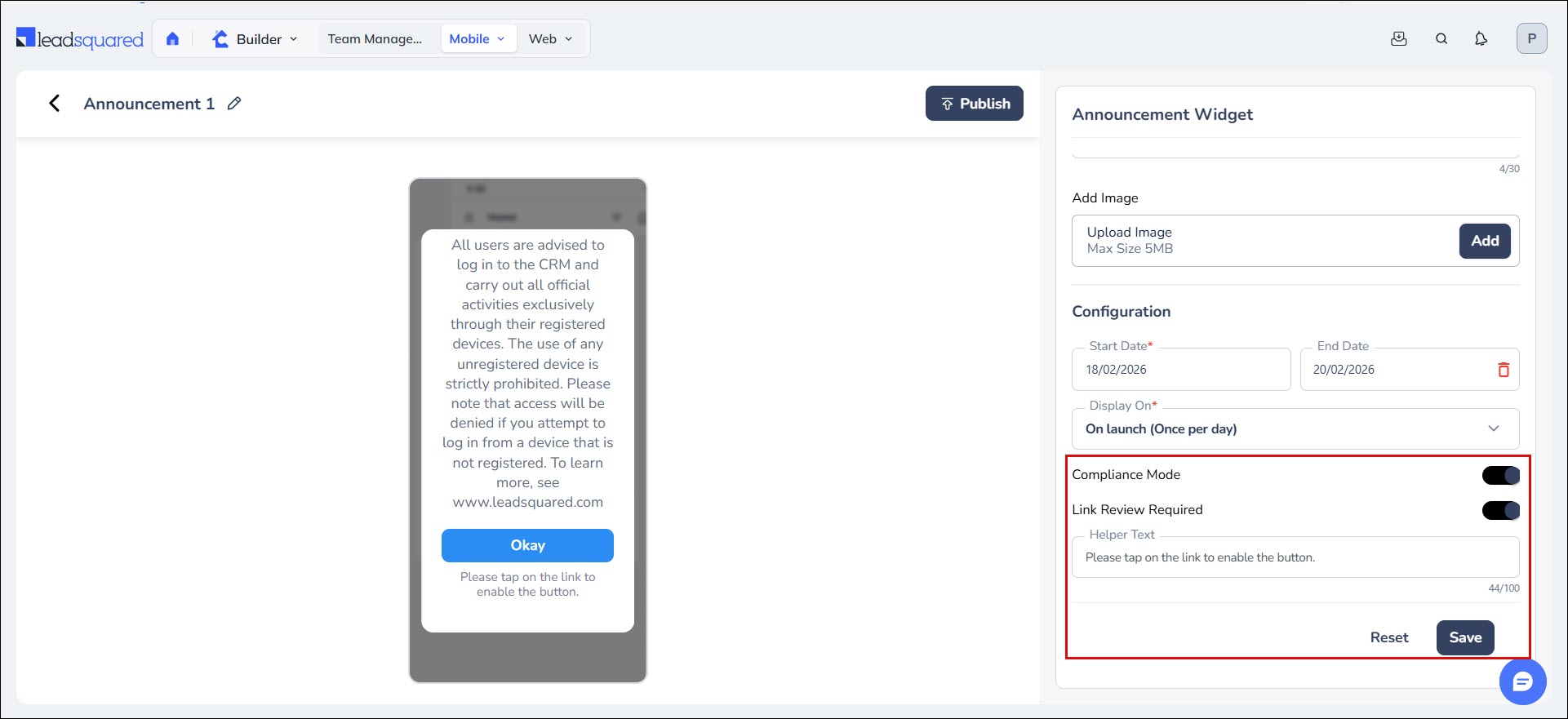
When this is turned on, every time a user clicks the CTA button, their acknowledgment is recorded with details including who accepted it (User ID), which announcement it was, what they agreed to, and the exact date & time. This data is stored in SIERA, where admins can create, view and download reports for audits.
Additionally, any link in the announcement is now clickable and opens in a full-screen view. You can enable the Link Review Required toggle where the CTA button is accessible only on opening the links in the announcement.
To learn more, see Compliance Mode.
Bug Fixes
- Fixed an issue where Opportunity Phone Field validation was not working.
- Fixed an issue with trailing zeros in decimal values to conform to API response format.





