

Platform and NextGen Updates – July 2026

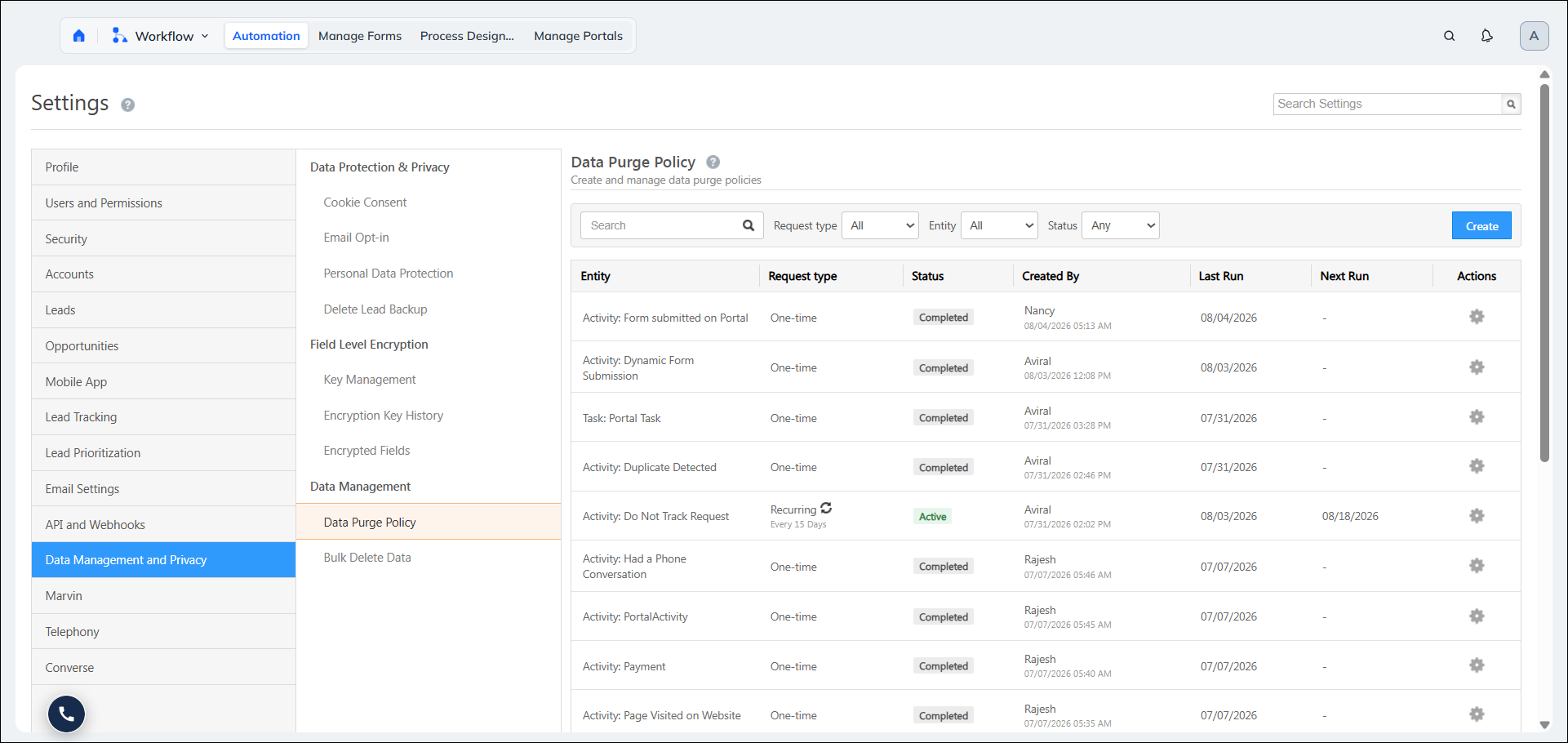
Data Purge Policy
What’s the Benefit
You can automatically remove older or unnecessary activity records based on defined retention rules. This helps you manage CRM data volumes, support compliance requirements, and maintain system performance without relying on manual cleanup.
What’s New
Data Purge Policy lets admins configure automated data retention policies for Custom and System Activities. Each policy can define conditions such as activity type, record age, and associated entity (Lead or Opportunity). Records that meet the configured criteria are automatically deleted on a recurring schedule.
Apps Marketplace Controllable via Restriction Templates
What’s the Benefit
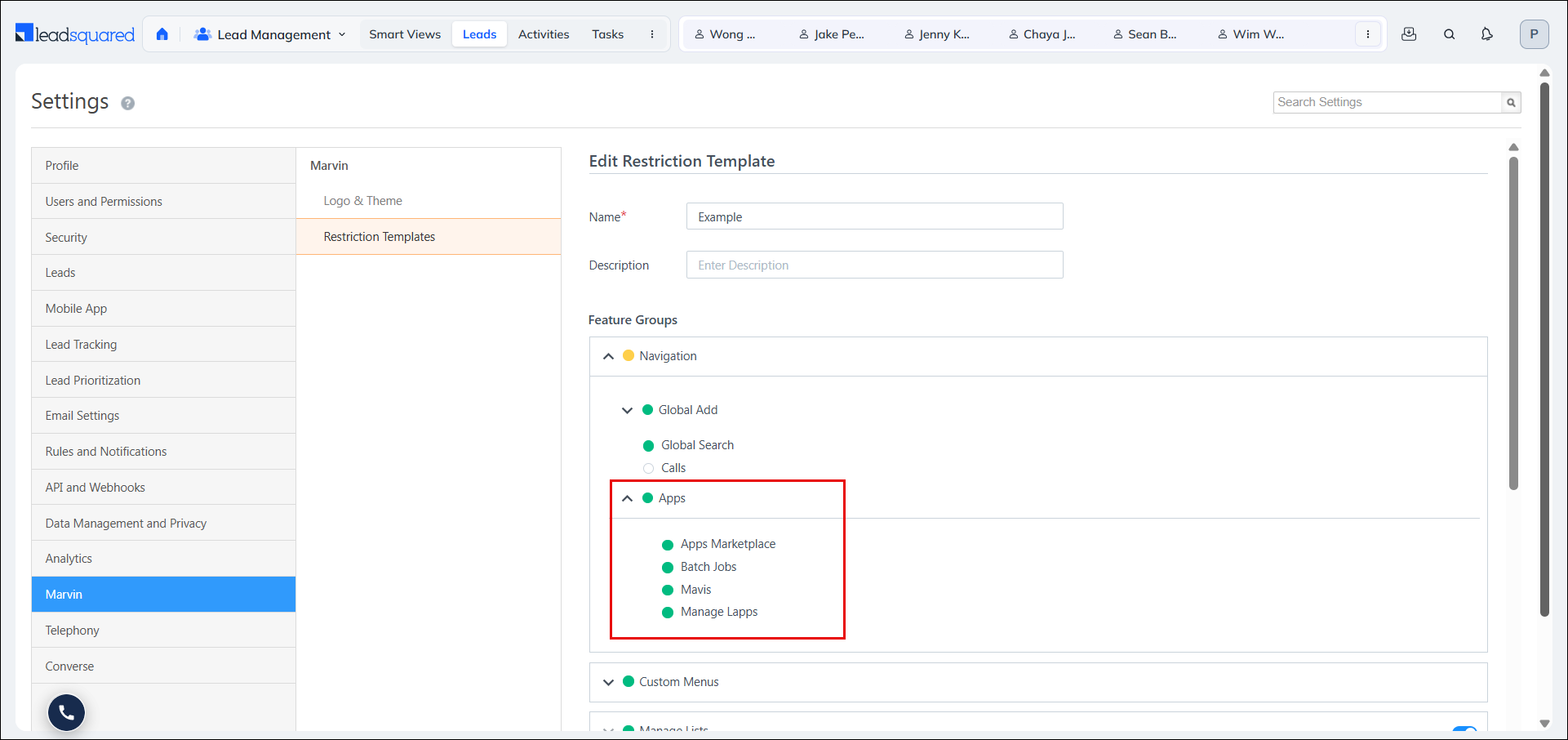
You can control which user roles have access to the Apps Marketplace, helping keep the navigation focused and ensuring users only see features relevant to their responsibilities.
What’s New
Admins can now manage access to the Apps Marketplace through Restriction Templates. A new option is available under the Navigation>Apps section, allowing admins to hide the Apps Marketplace from the navigation for selected user roles. This setting behaves like other menu restrictions, ensuring a consistent access control experience across NextGen.
Starred Lead Limits
What’s the Benefit
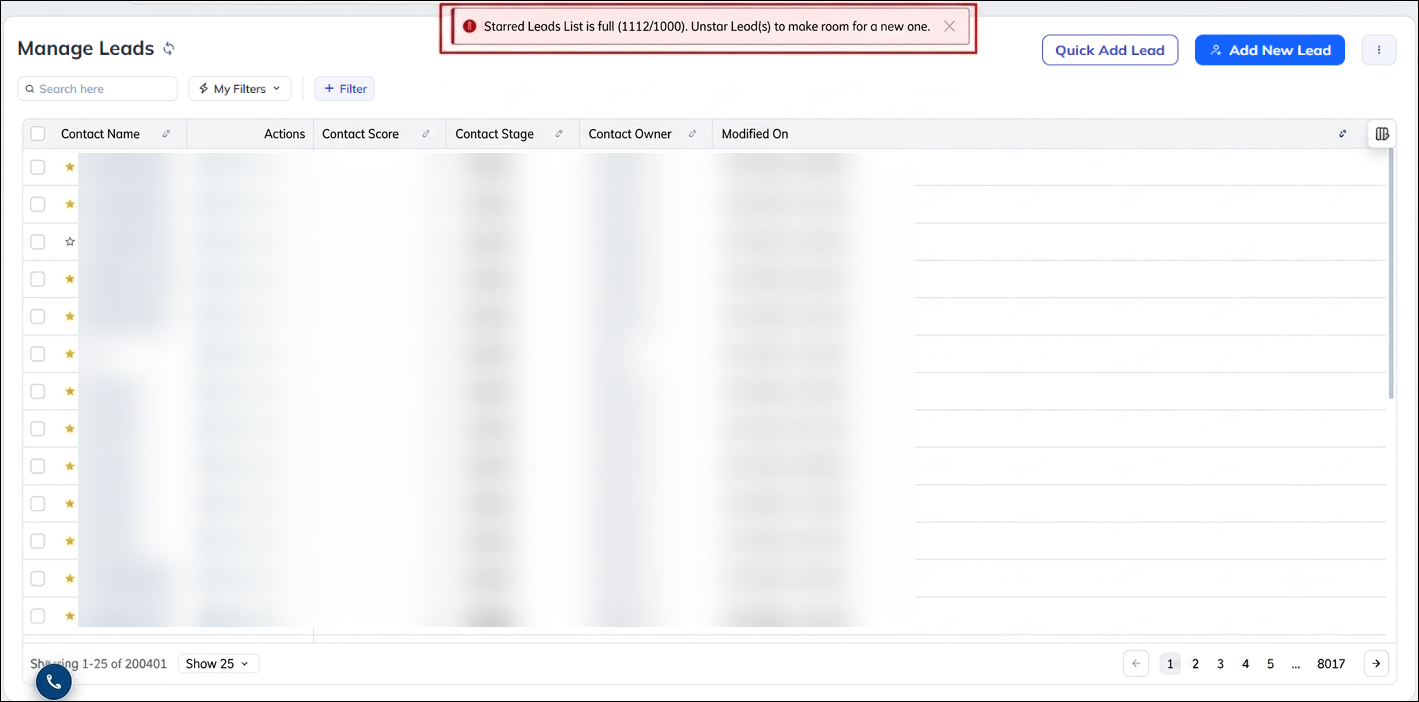
You can manage your Starred Leads more efficiently with clear limits that help maintain consistent CRM performance. If you reach a limit, in-app messages guide you on what to do next, while your existing starred leads remain preserved.
What’s New
A limit of 1,000 starred leads per user is now enforced by default. The option to import leads directly into the Starred List through CSV has also been removed to prevent large, uncontrolled increases in starred leads. When a user reaches the limit, an error message is displayed. Users who already exceed the new limits can continue to access their existing starred leads, but cannot add new leads until their starred lead count falls below the applicable limit.
‘Clear All’ Button in App Tabs Dropdown
What’s the Benefit
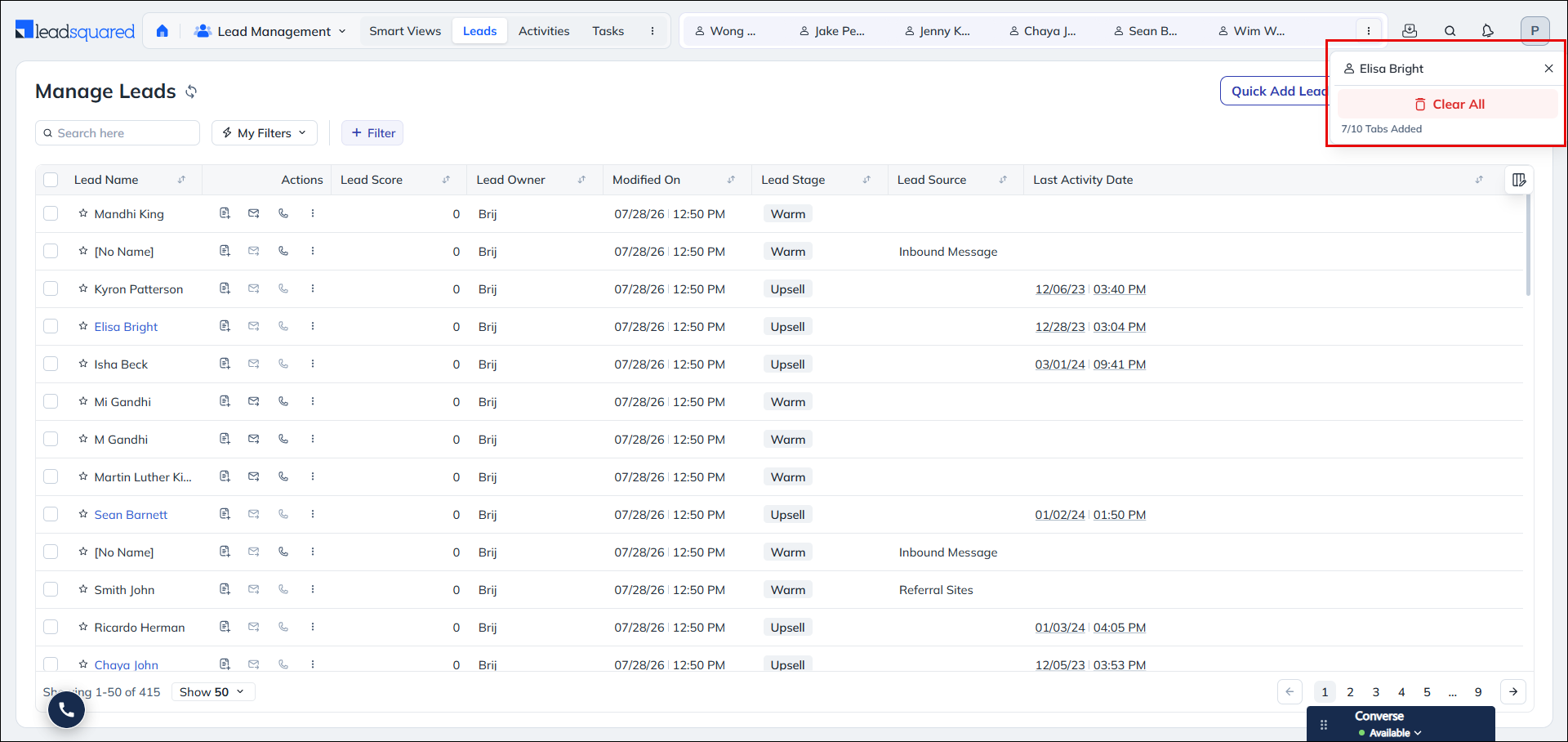
You can quickly close all open App Tabs with a single click, making it easier to declutter your workspace and continue working without manually closing each tab.
What’s New
A Clear All option has been added to the App Tabs overflow dropdown. When multiple open tabs overflow into the dropdown menu, users can click Clear All to close all open tabs at once. After clearing the tabs, NextGen automatically navigates the user to the last opened record, ensuring a smooth transition without interrupting their workflow.
Bug Fixes
- Fixed an issue where not all contact source values were visible in the Bulk Update dropdown in NextGen, even though they appeared correctly in the old UI.
- Fixed an issue where links embedded in Email Sent activities were not clickable when viewed through Activity History in NextGen.
- Fixed an issue where admin-defined Smart View task tabs with Pending or Overdue status filters were incorrectly showing completed tasks in the Calendar View.
- Fixed an issue where Super Admin users were unable to scroll through the Accounts list in the NextGen UI.
- Fixed an issue where the WhatsApp action was not working when triggered from the top-right three-dot menu on a List Details page, even though it worked correctly from the in-grid More Actions menu.
- Fixed an issue where lead fields masked by a Permission Template (such as phone number, mobile number, and email address) were still visible to restricted users in Lead Activity History.
- Fixed an issue where sales users received an error when attempting to change the lead owner on records where the previous owner was an admin user.
