
1. Feature Overview
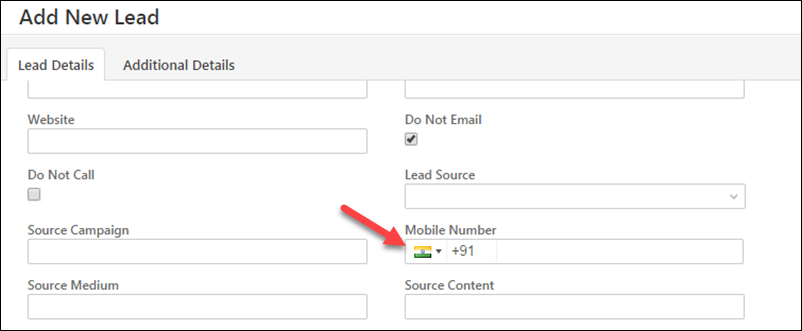
When you set the phone/mobile number field to display as ‘Phone Control’, it standardizes the mobile number format across all your lead add forms and landing pages. It makes the country code (such as +91 for India, +1 for USA, etc.) mandatory and lets users only enter a defined number of digits. Here’s what it looks like on the ‘Add New Lead‘ form –
2. Phone Control Settings
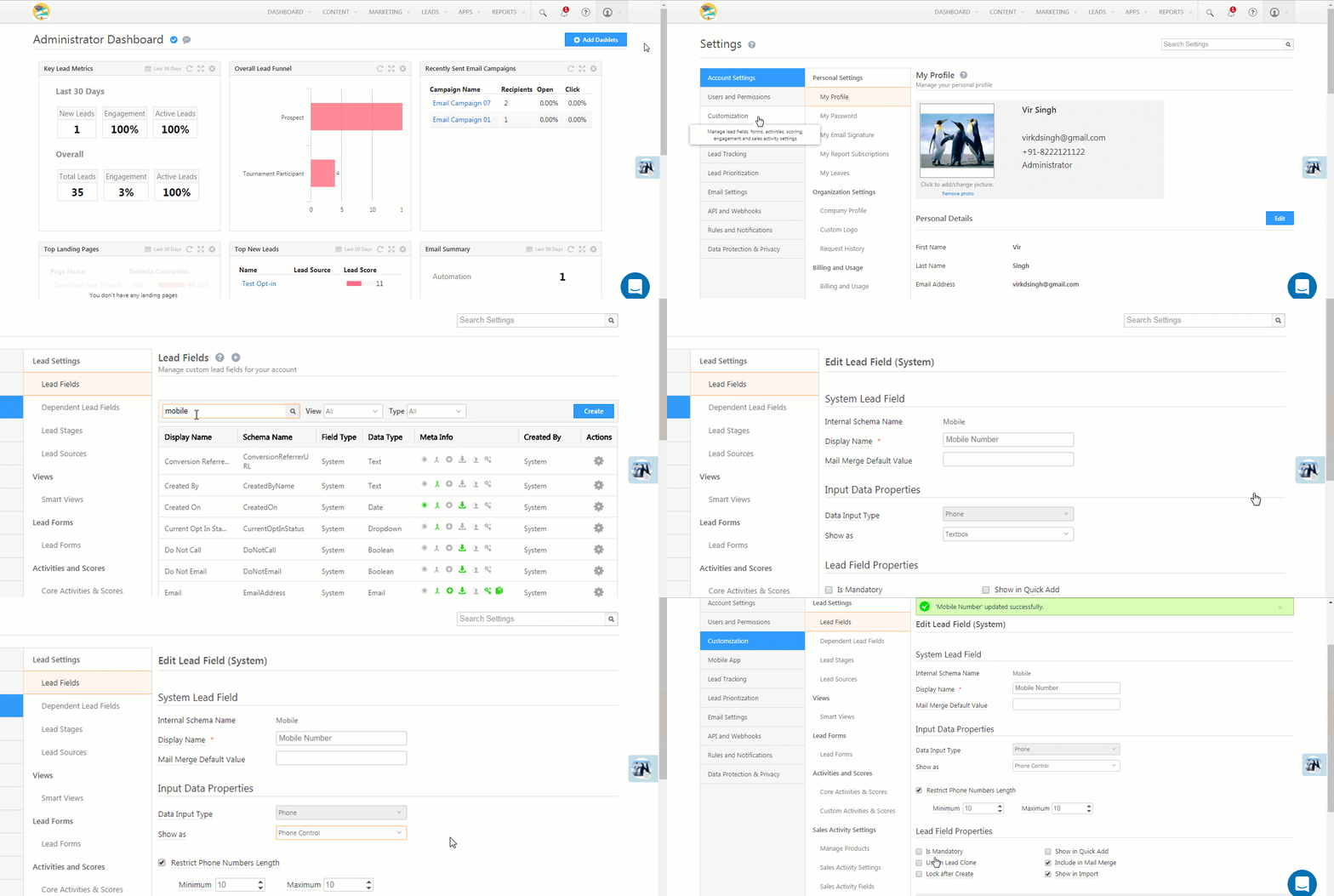
- Navigate to My Account>Settings>Leads>Lead Fields, and search for the ‘Phone/Mobile Number’ field.
- Hover your cursor over the settings
 wheel alongside the phone/mobile field and click Edit.
 - Under the Input Data Properties section, set the Show As option to Phone Control.
- You can set a restriction on the phone number length and enter the minimum and maximum number of digits.
- Click Save.
Note: You will need to republish existing landing pages in order to get phone control reflected on them.
Any Questions?
Leave us a comment below if you have any questions.





We are facing an ongoing issue while bulk uploading leads with different country codes. What steps can we take to resolve this, and how can this be handled in the Meta integration as well?
Hi Harsha, please ensure that the country code for the leads is entered, and is in the appropriate format. If this doesn’t help, please give us more context on the issue you’re facing.
I am not able to change show as to textbox. the dropdown has disabled for me. why is that so? my form is already posted on the website.
Hi, Rushika. If the Phone/Mobile lead field is unique, you can’t change it to a textbox.