


Get Started

Sales Suite
Field Ops
Marketing
Service CRM
Integrations & Apps
FloStack
Can I import a CSV file without email address into LeadSquared?

Updated
24 May 2024 | 04:55 PM
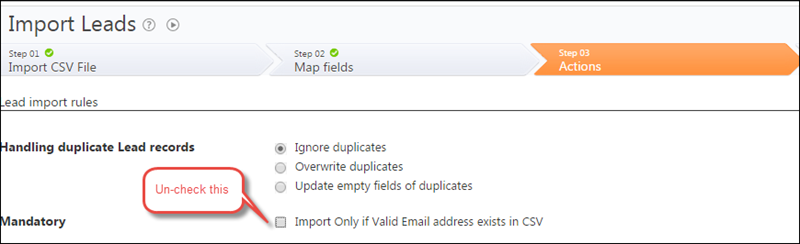
You can import records that do not have email addresses. Please ensure that you have a column for Email Address in the csv. The data for some or all records may be blank in this column. Map it to Email Address field of LeadSquared while importing and in “Step 03 Actions” uncheck “Import Only if Valid Email address exists in CSV”:
Subscribe
0 Comments
Newest