


Get Started

Sales Suite
Field Ops
Marketing
Service CRM
Integrations & Apps
FloStack
What Is the Maximum Character Limit Supported for Activity and Opportunity Fields?

Updated
04 Jun 2024 | 04:56 PM
By default, activity or opportunity fields of string (text) type, support a maximum of 200 characters.
To increase this limit you can create a custom field set and associate it with the activity or opportunity. When creating a custom field set, add string fields and click the gear icon alongside the field to increase the limit to 1000 characters or 65,000 characters (by selecting the content option).
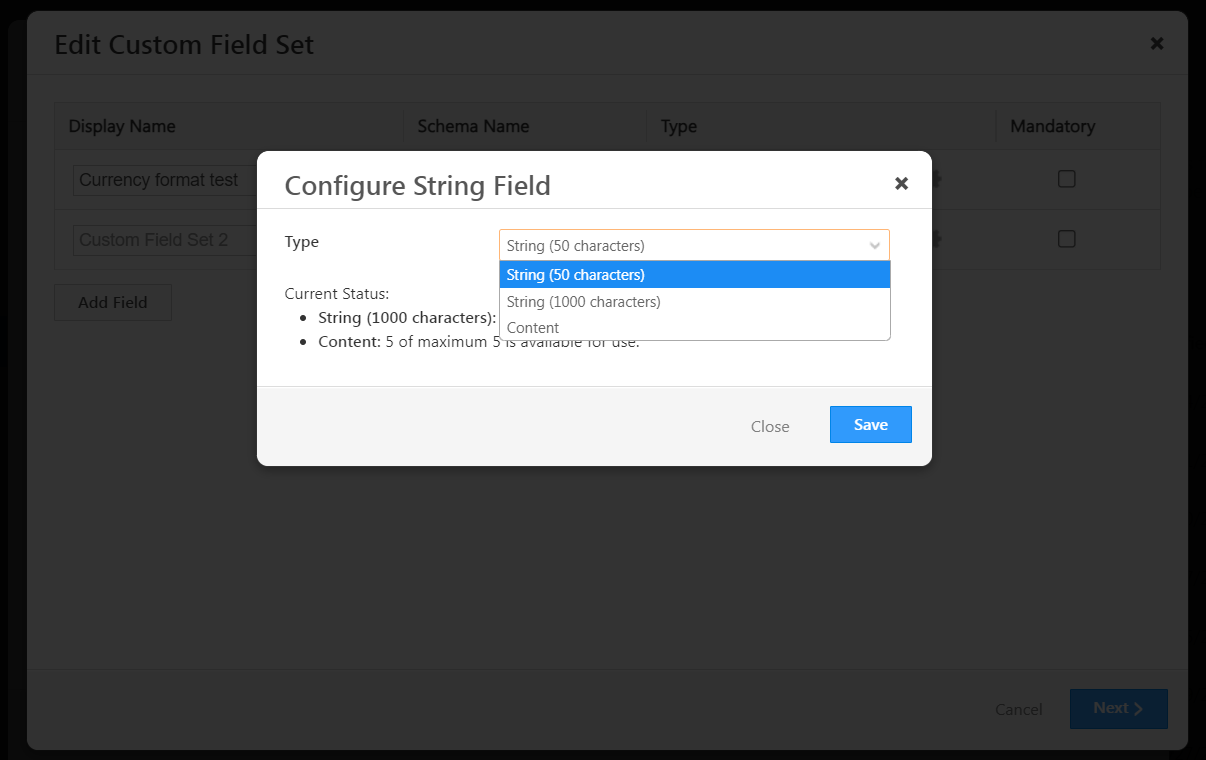
When you associate the CFS with a lead or an opportunity, you can now use the string fields to store data with more 1000 or 65,000 characters (based on your configuration of the CFS string field).
For more information on CFS, see Custom Fields Sets.
Subscribe
0 Comments
Newest