


Get Started

Sales Suite
Field Ops
Marketing
Service CRM
Integrations & Apps
FloStack
Object Types – Configure Object Stages

1. Feature Overview
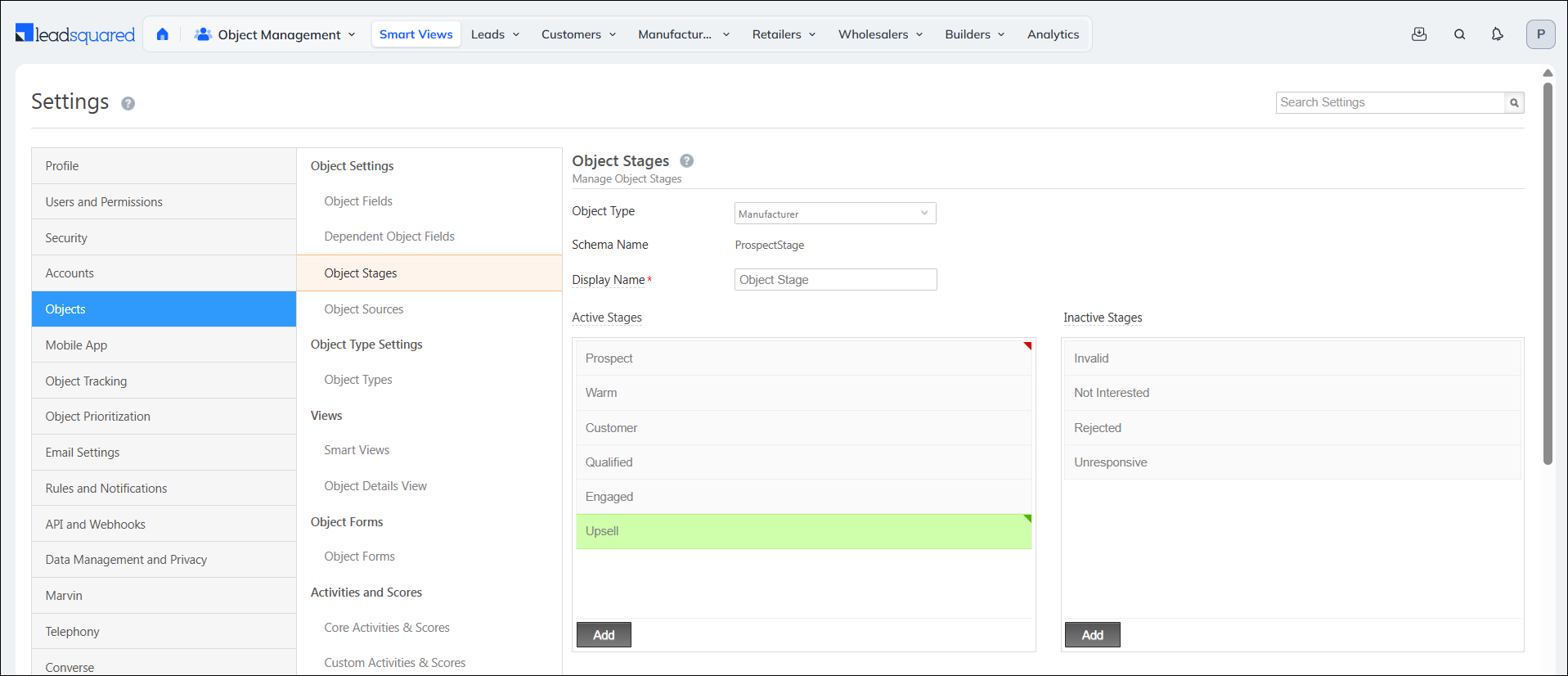
Object Stages help you track the progress of an Object through the sales funnel. You can define unique stages for each Object Type, allowing you to represent the journey specific to that entity.
For example:
- A Customer can have stages such as New, Engaged, and Converted.
- A Manufacturer can have stages such as Shortlisted, Approved, and Partnered.
By default, Object Types use the existing Prospect, Opportunity, and Customer stages. You can customize these stages based on the workflow of each Object Type.
2. Prerequisites
- You must be an administrator to configure Object Stages.
- Object Types must be enabled in your account.
3. How It Works
You can create and manage stages independently for each Object Type. Stages can be configured as Active or Inactive, allowing you to control which stages are currently available in the Object Type’s lifecycle. You can also enable comments when an object moves between stages and configure additional properties for each stage.
4. Configure Object Stages
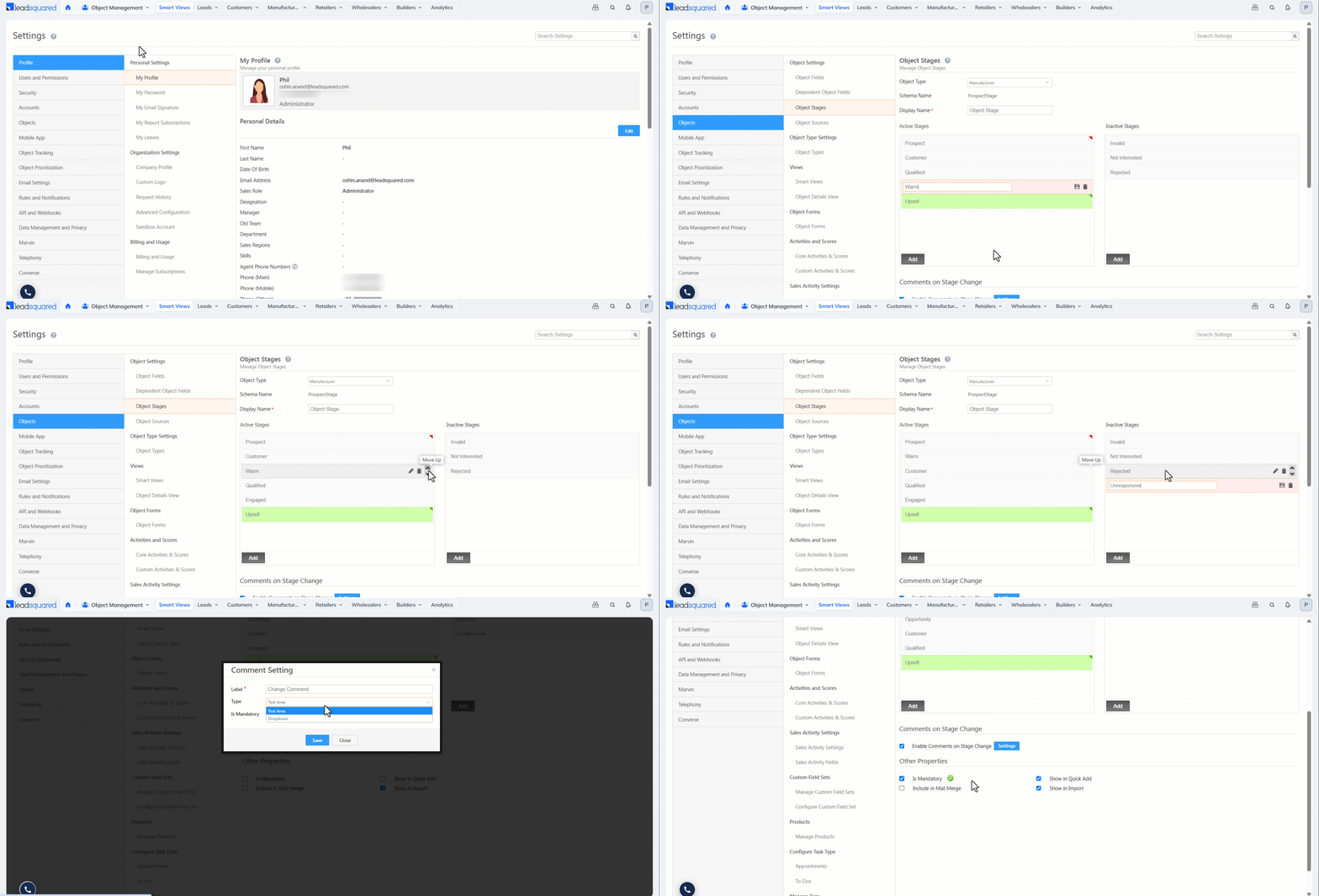
- Navigate to Settings>Objects>Object Stages.
- Select the relevant Object Type from the first dropdown.
- Under Active Lead Stages or Inactive Lead Stages, click Add.
- Enter a name for the stage.
- Click Save to create the stage.
You can similarly move stages between active and inactive states based on your requirements.
4.1 Enable Comments on Stage Change
You can allow Sales Users to add and view comments when an object’s stage changes. This helps users capture context about why an object moved from one stage to another. To enable this option, select Enable Comments on Stage Change while configuring the Object Stages.
4.2 Configure Other Stage Properties
Under Other Properties, you can select the available checkboxes to configure additional characteristics for the stage. These properties help you control how the stage behaves and what users can do when an object enters or moves through that stage.
Any Questions?
Did you find this article helpful? Please let us know any feedback you may have in the comments section below. We’d love to hear from you and help you out!