Get Started

Sales Suite
Field Ops
Marketing
Service CRM
Integrations & Apps
FloStack
Email to List Reports

Updated
24 May 2024 | 04:31 PM
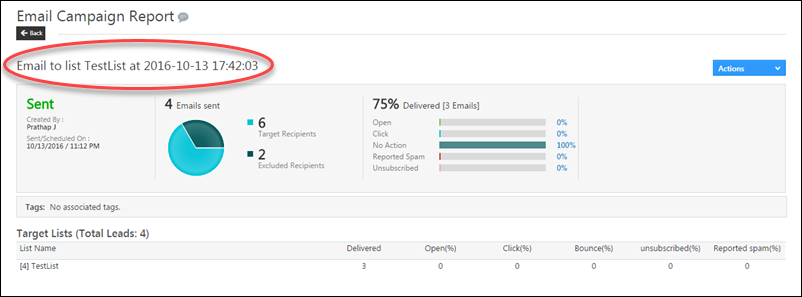
The Email to List Report allows you analyze the performance of the Emails you had sent to a list of Leads. The Report allows you know the success/failure rate of the Emails through various metrics available in the report.
Prerequisite
- You have logged into LeadSquared.
- You have created and sent the email to the List of Leads using Email Campaign or from the Manage List window
Procedure
- From your default LeadSquared dashboard, go Marketing -> Email Campaign.
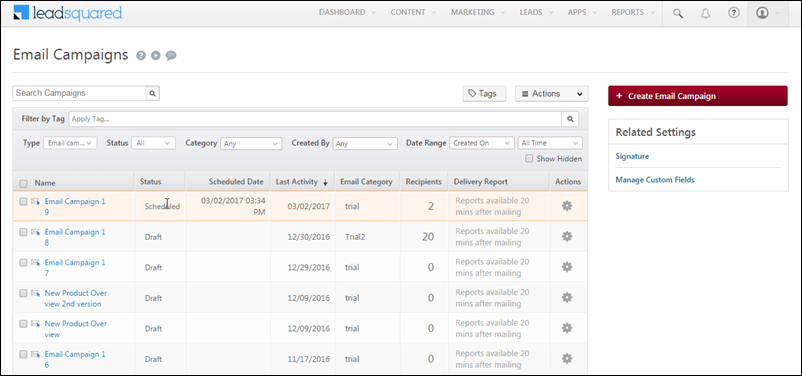
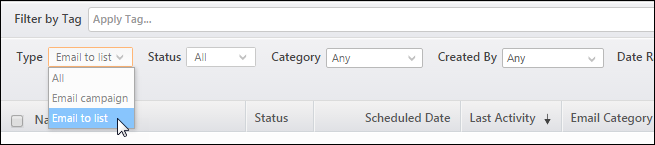
- From the Type drop-down filter, select Email to list. The Emails that are sent to a list appears in the display grid below:
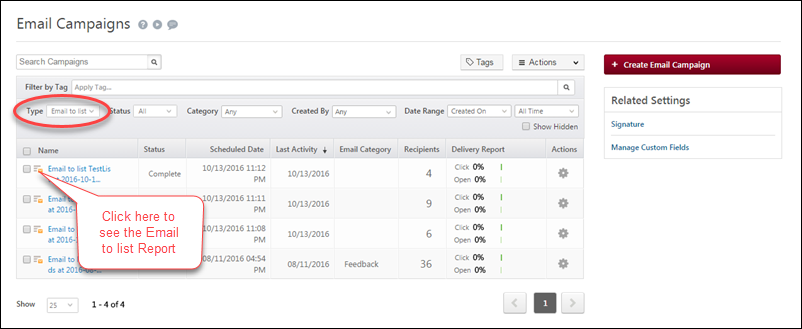
- Under Name, click
 against the required Email to List. The corresponding to Email to List report appears.
Related Articles
Subscribe
0 Comments
Newest