


Get Started

Sales Suite
Field Ops
Marketing
Service CRM
Integrations & Apps
FloStack
How Can I Switch Back to LeadSquared’s Legacy UI?

Updated
05 Jun 2026 | 05:41 PM
Note: This option is unavailable in the NextGen experience and will not be visible to customers who have been transitioned to NextGen.
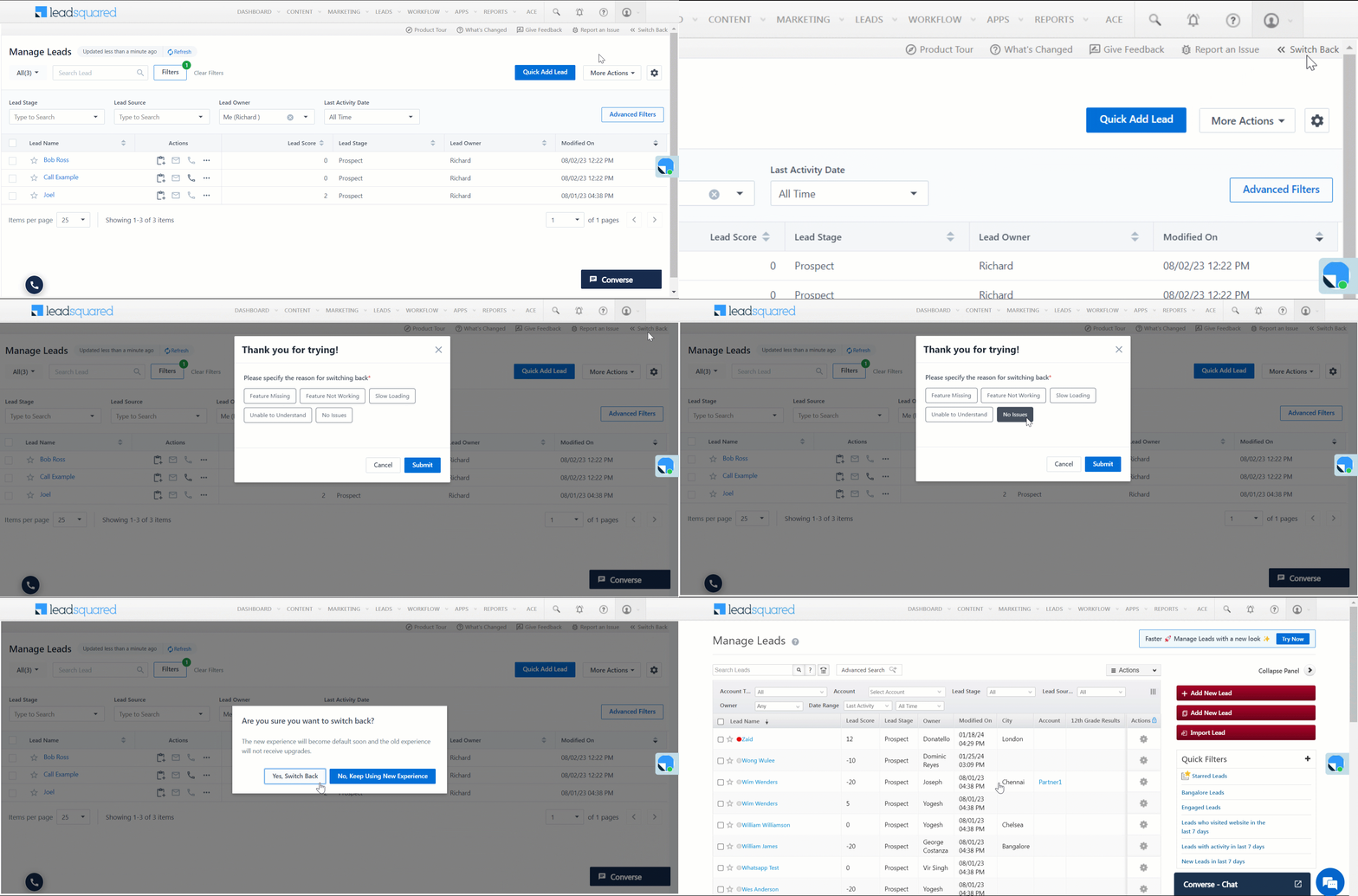
If you’ve enabled the latest LeadSquared UI on the Manage Leads, Manage Opportunities, Smart Views and Lead Details pages –
To change back to LeadSquared’s old User Interface (UI), on the top right corner of any of these screens, click Switch Back.
i do not have that option
Hi Jake
If you’re on the latest NextGen experience, you won’t see this option. Accounts transitioned to NextGen do not have access to this functionality.
Still not getting the option
Hi Dev
If you’re on the latest NextGen experience, you won’t see this option. Accounts transitioned to NextGen do not have access to this functionality.
Now this option is not showing in LSQ
Hi Prince, please reach out to your Admin or send a mail to support@leadsquared.com with a brief description of the issue you’re facing. We’ll get back to you asap.
I am not getting that option
Hi Rajlakshmi, please reach out to your Admin or send a mail to support@leadsquared.com with a brief description of the issue you’re facing. We’ll get back to you asap.