

- Getting Started
- Sales Suite
- Field Ops
- Marketing
- Service CRM
- Integrations & Apps
- FloStack
Sales Suite
FloStack
FloStack Scheduling & Lead Engagement – Feature Guide
Set Up Your Workspace on FloStack
Set Up Your Profile and Calendar on FloStack
Create Meeting Types on Flostack
Flostack – Booking and Events
Flostack Microsite Builder
Configure Rule Board on FloStack
Manage Your Leads On Flostack
Integrate Flostack with UDS
Can I rename a Landing Page?
Updated
24 May 2024 | 04:56 PM
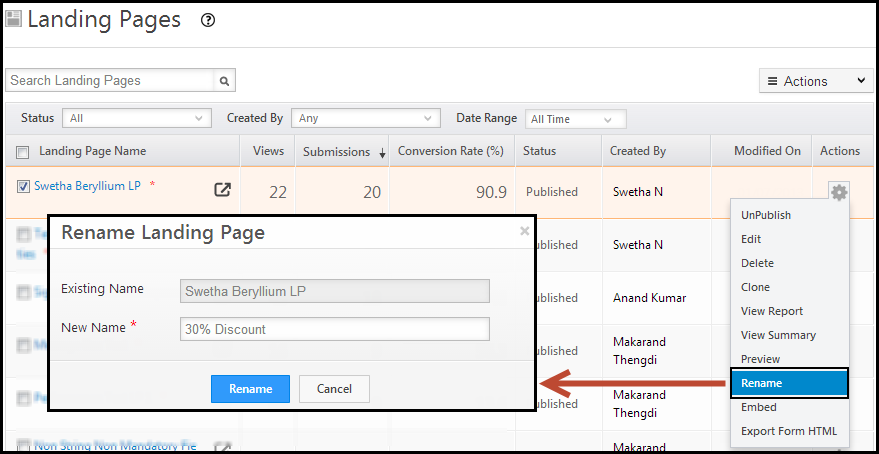
Yes. You can rename a landing page. Navigate to Dashboard > Marketing > Landing Pages. Hover on the Actions button of the required landing page. Click on Rename. Enter the new name and click Rename.
Subscribe
0 Comments
Newest
Oldest
Most Voted
Inline Feedbacks
View all comments

