


Get Started

Sales Suite
Field Ops
Marketing
Service CRM
Integrations & Apps
FloStack
Track Usage in the Invorto Voice Bot

1. Feature Overview
The Consumption module on the Invorto Voice Bot breaks your organization’s usage down by product and by campaign. The Dashboard tells you the totals. Consumption tells you where those totals came from.
Use Consumption to:
- Check how many minutes each voice campaign consumed.
- Check how many recordings each Insight campaign processed.
- Compare cost across campaigns before a billing review.
- Confirm that a campaign you thought had stopped is no longer consuming minutes.
Consumption is a read-only screen.
2. Prerequisites
- An active Invorto Voice Bot account.
- At least one campaign that has run. A campaign with no completed calls or recordings appears in the table with zero values.
3. Open the Consumption Module
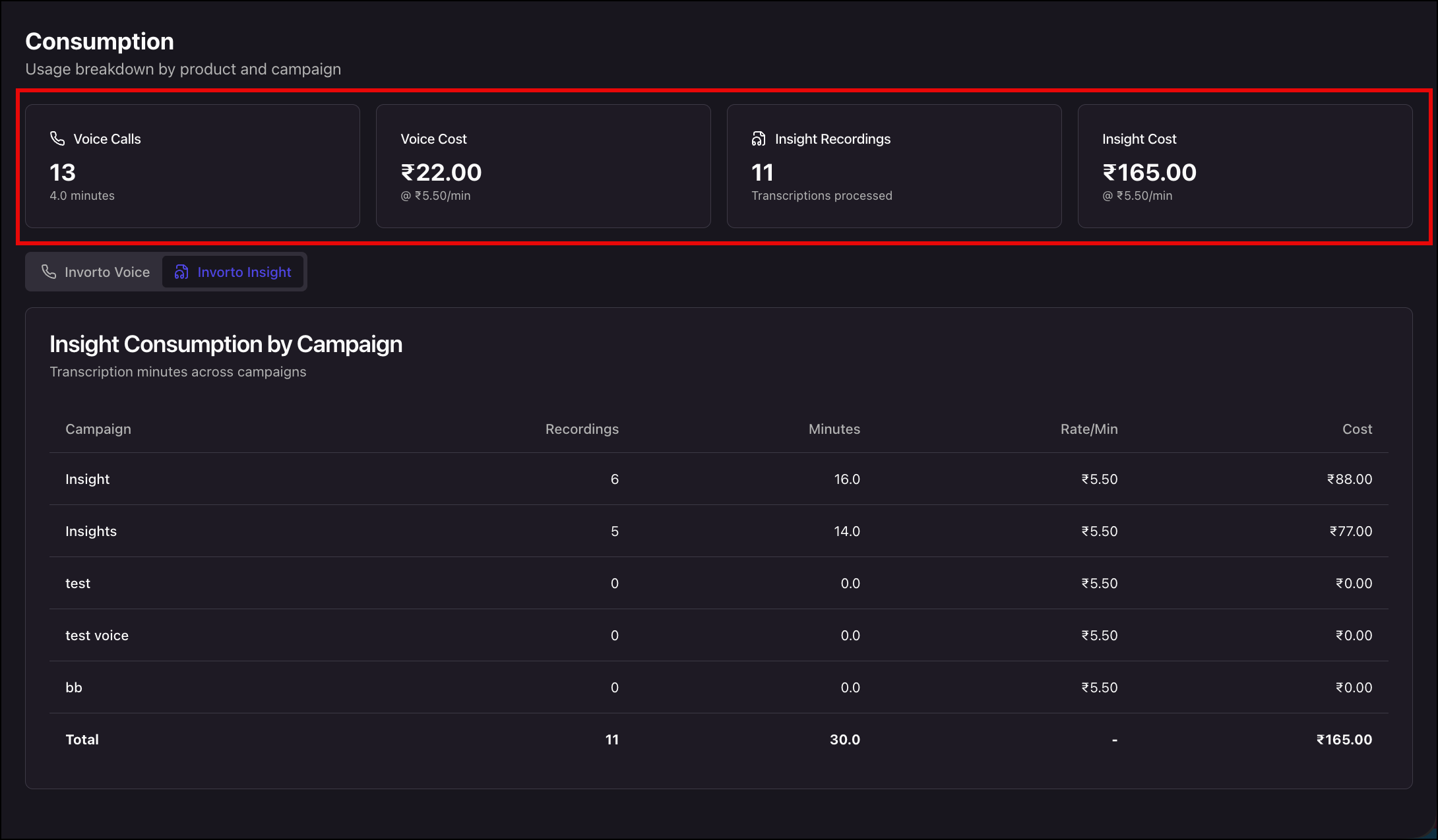
In the left navigation, click Consumption. The page opens on the Invorto Voice tab, with access to the Invorto Insight tab next to it. The four tiles across the top summarize usage for both products.
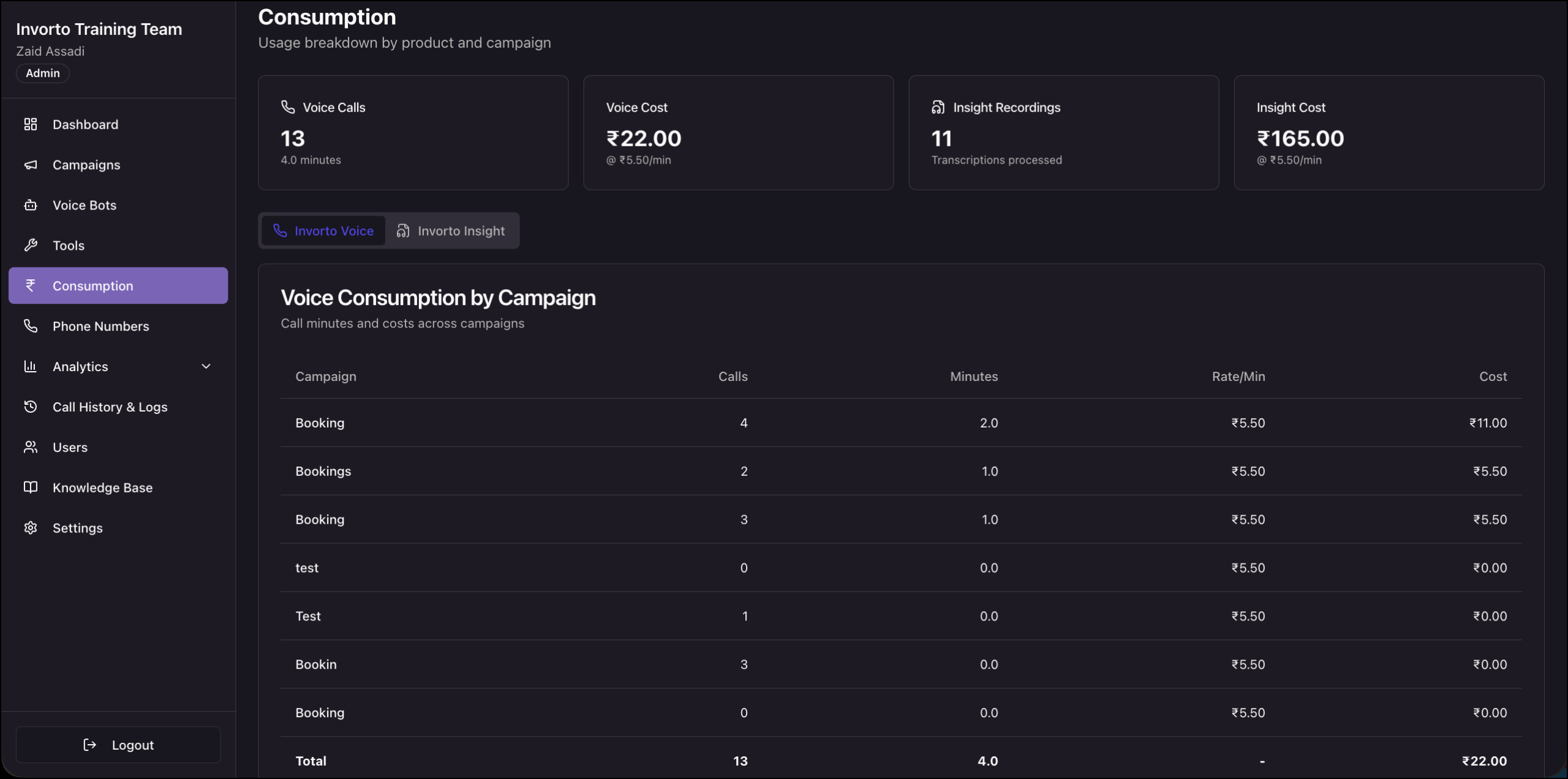
| Tile | What it shows |
| Voice Calls | The number of calls placed by your voice campaigns, with the total talk minutes below the number. |
| Voice Cost | The cost accrued by your voice campaigns, with the applied per-minute rate below the number. |
| Insight Recordings | The number of recordings processed by your Insight campaigns, shown as transcriptions processed. |
| Insight Cost | The cost accrued by your Insight campaigns, with the applied per-minute rate below the number. |
5. Switch Between Products
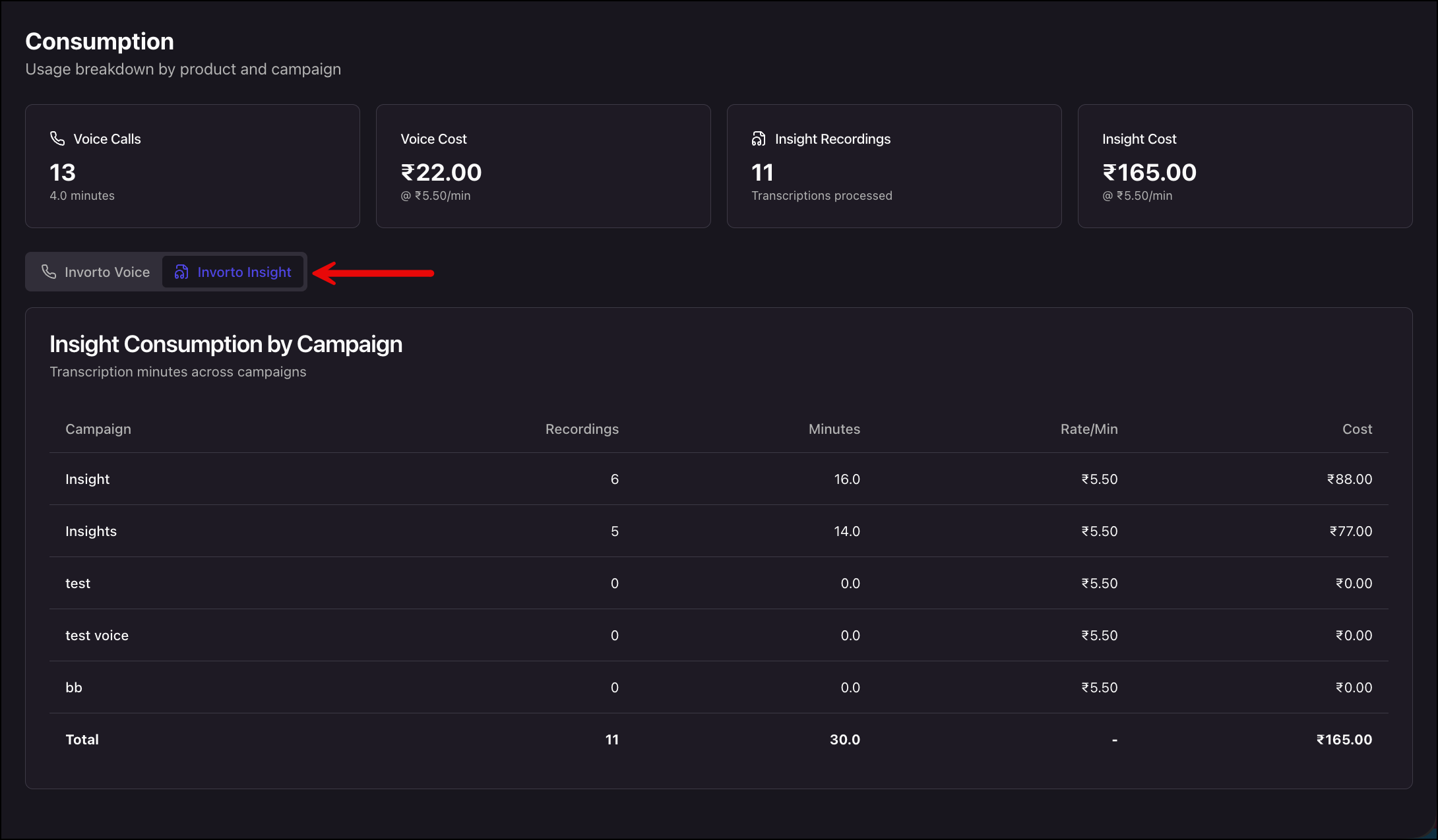
Use the tab strip below the tiles to change the table underneath. Click Invorto Voice or Invorto Insight to see the per-campaign breakdown for the resptive campaigns.
The Voice/Insight Consumption by Campaign table lists every voice/insight campaign in your organization, with a Total row at the bottom.
| Column | What it shows |
| Campaign | The campaign name. |
| Calls/Recordings |
|
| Minutes | The talk minutes consumed by that campaign. |
| Rate/Min | The per-minute rate applied to that campaign. |
| Cost | The cost accrued by that campaign. |
Any Questions?
Did you find this article helpful? Please let us know any feedback you may have in the comments section below. We’d love to hear from you and help you out!