


Get Started

Sales Suite
Field Ops
Marketing
Service CRM
Integrations & Apps
FloStack
Rename the Opportunity Entity to Reflect Your Business Terminology

Updated
24 May 2024 | 03:46 PM
1. Feature Overview
Opportunities in LeadSquared represent potential deals. Through opportunity management, you can track various aspects of deals in progress. Users can rename “Opportunity” as per their business needs. For example, an insurance company can rename “Opportunities” as “Policies” and an education organisation can rename them as “Courses” for better adoption among users.
Note:
- All the admin settings, reports & configurations will continue to use the keyword Opportunity. The name change will not be reflected on these pages.
- To know more about opportunities, refer to Opportunity Management – Feature Guide.
2. Prerequisites
You must be the Administrator of your LeadSquared account.
3. Enable Opportunity Rename
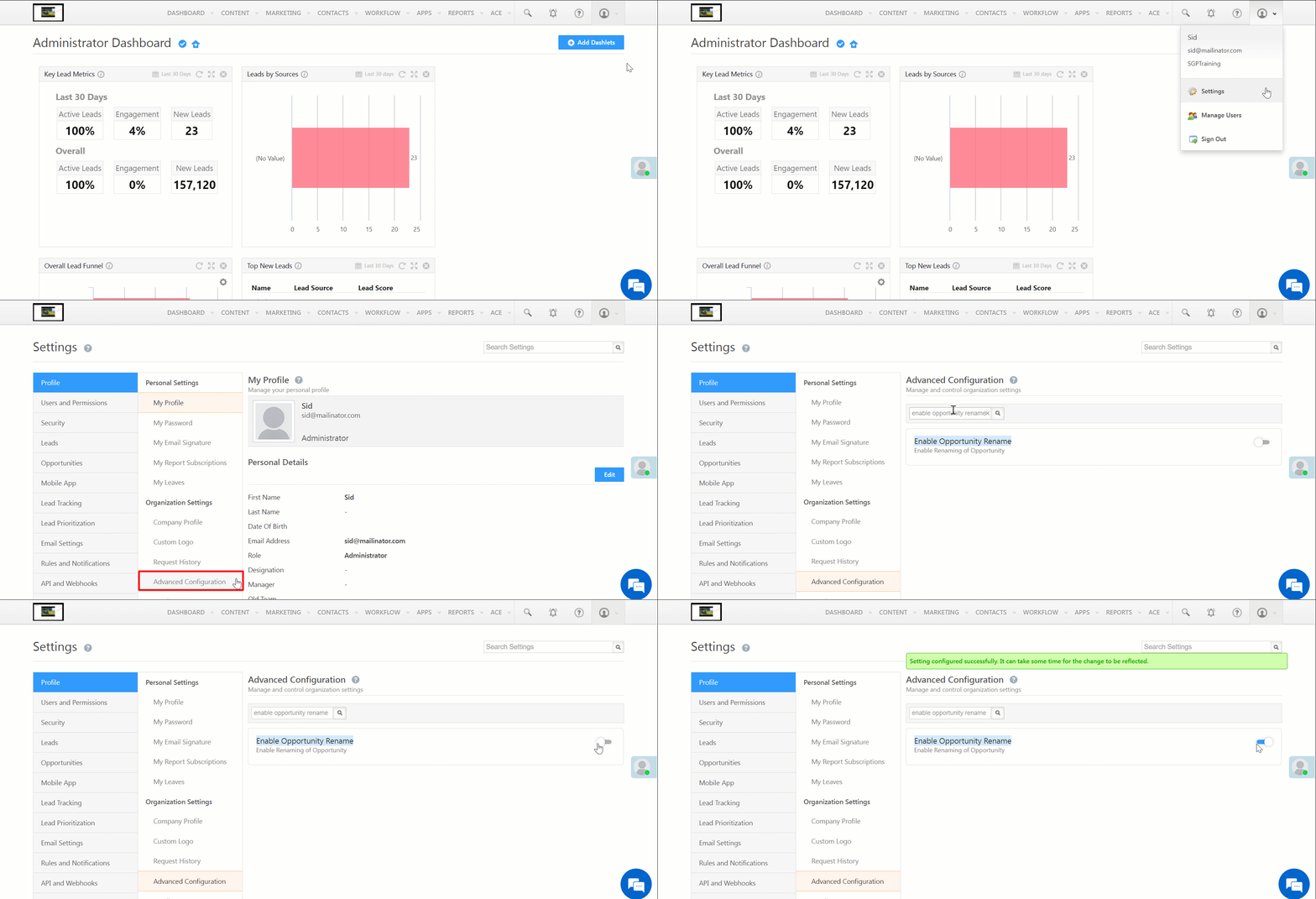
- Navigate to My Profile>Settings>Profile>Advanced Configurations.
- Alongside Enable Opportunity Rename setting, slide the toggle.
4. Rename Opportunity
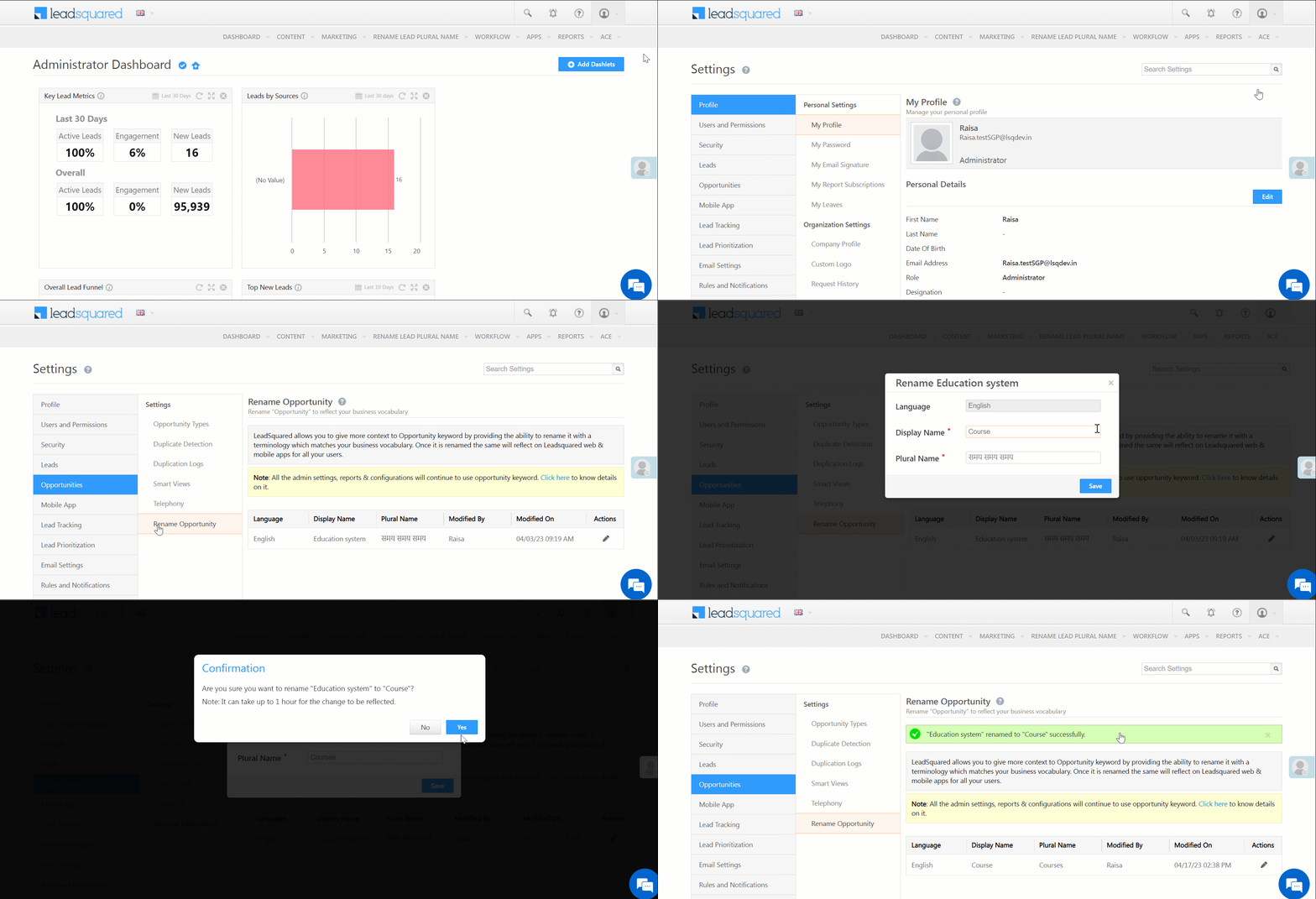
- Navigate to My Profile>Settings>Opportunities>Rename Opportunities.
- On the Rename Opportunity tab, under Actions, click the
 icon.
icon. - On the Rename Opportunity pop-up, change the Display Name and Plural Name, and click Save.
- On the Confirmation pop-up, click the Confirm button.
- You will receive a confirmation notification at the top of the page once the name change has been accepted by the system.
Note: It will take up to one hour for the name change to reflect in your account.
Any Questions?
Did you find this article helpful? Please let us know any feedback you may have in the comments section below. We’d love to hear from you and help you out!
Subscribe
0 Comments
Newest