


Get Started

Sales Suite
Field Ops
Marketing
Service CRM
Integrations & Apps
FloStack
Capture Addresses on a Map in Forms

1. Feature overview
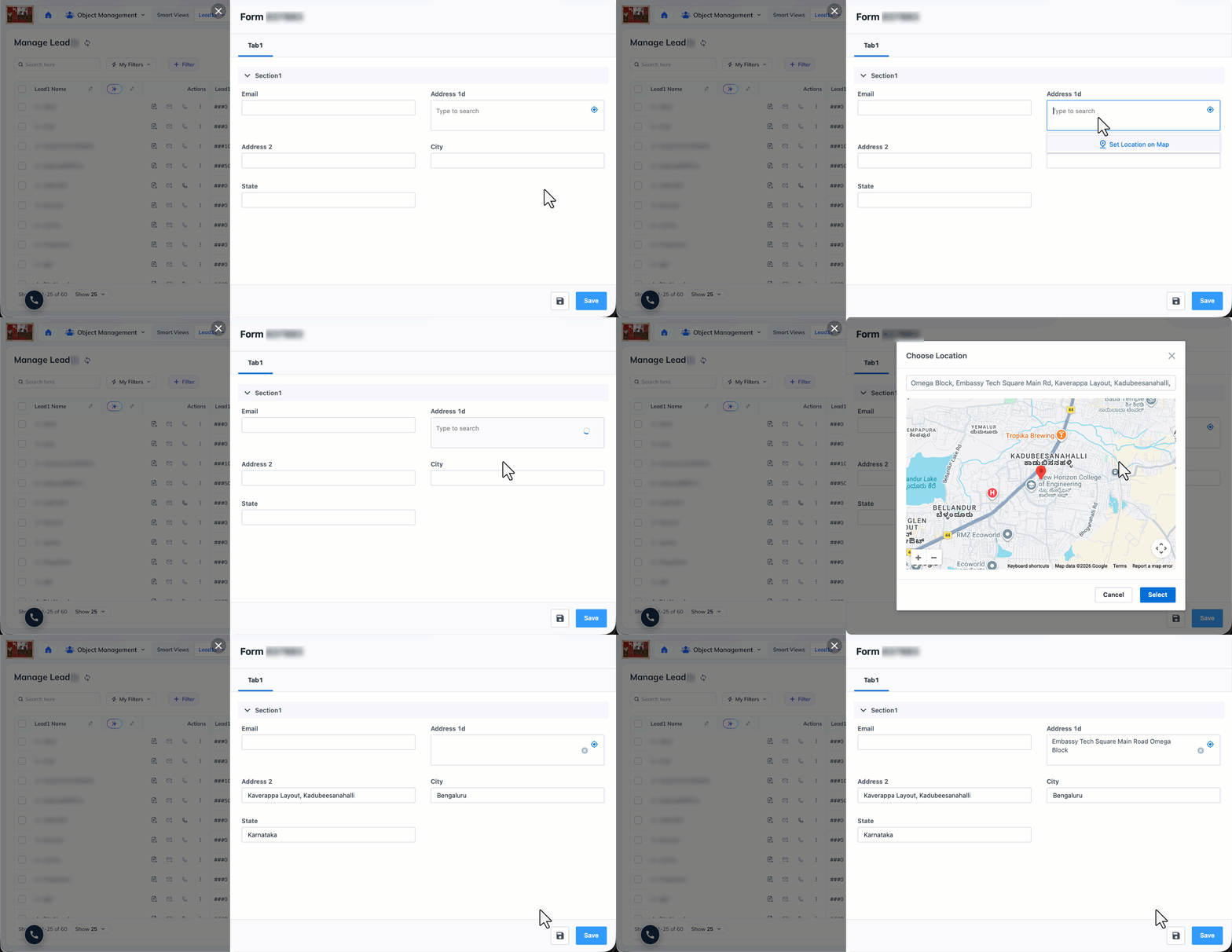
Capture addresses on a map in Forms removes manual address entry for field teams and agents, so location data is captured faster and with fewer typos. Any workflow that relies on location data benefits from the cleaner, quicker input. Users can search for an address or set a location on the interactive map, and the linked address fields (Address, City, State, Country, Zip) populate automatically from the selection.
2. Prerequisites
- NextGen must be enabled on your account.
- At present, this feature is supported on Web App Forms.
- A Google Maps API Key is required to enable the setting.
- Browser location permission must be granted so the map can pick up the user’s current location.
3. How it works
Setting up this feature takes two steps. First, add your Google Maps API Key to your account so the map can load. Then enable the map setting on the form you want to use it on. Once both are done, users filling out the form can search for an address or set a location on the interactive map, and the linked address fields (Address, City, State, Country, Zip) populate automatically from the selection.
4. Set up your Google API Key
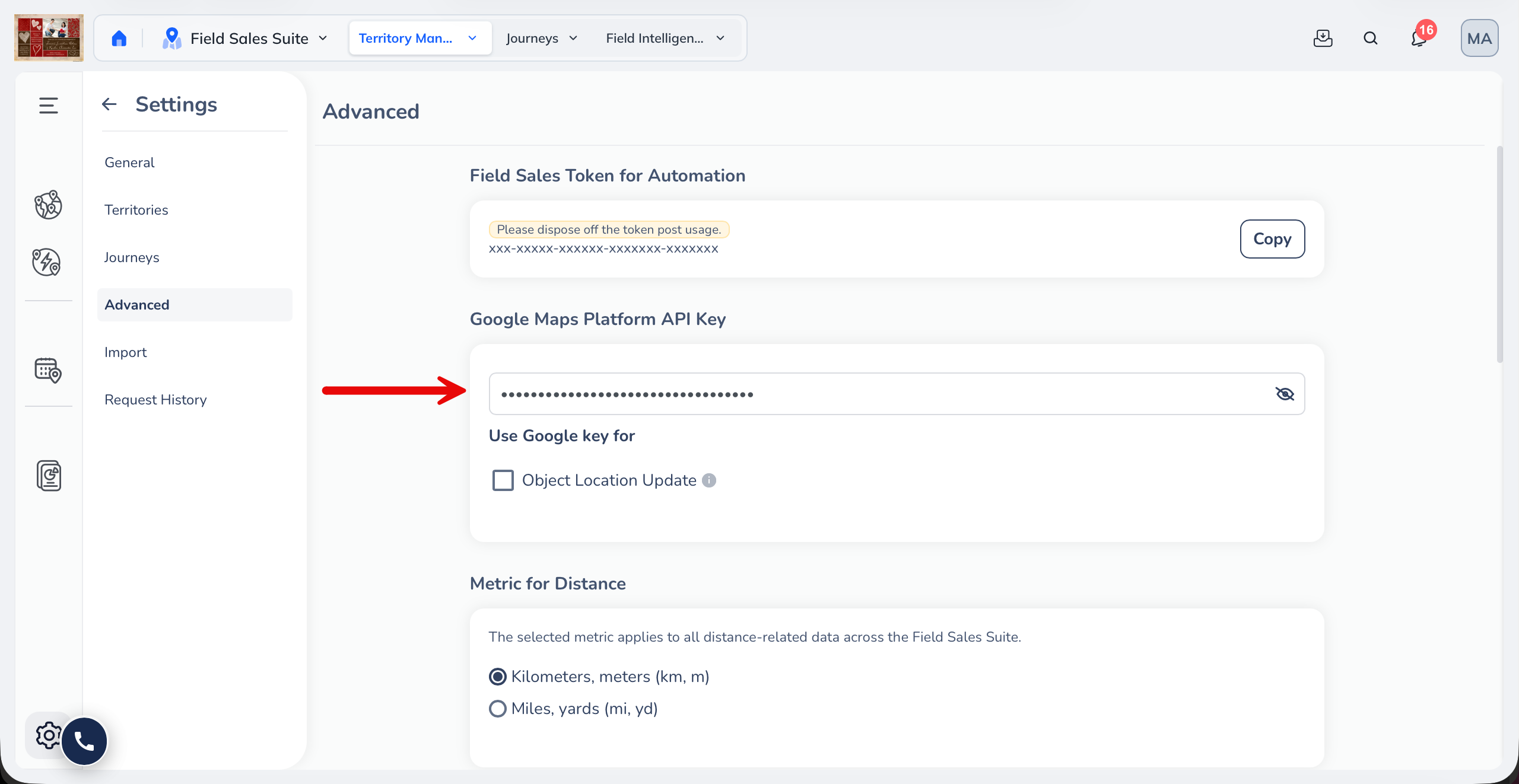
If you have Field Sales enabled on your account, add your Google Maps API Key under Advanced Settings in the Field Sales Suite.
5. Enable maps on a form
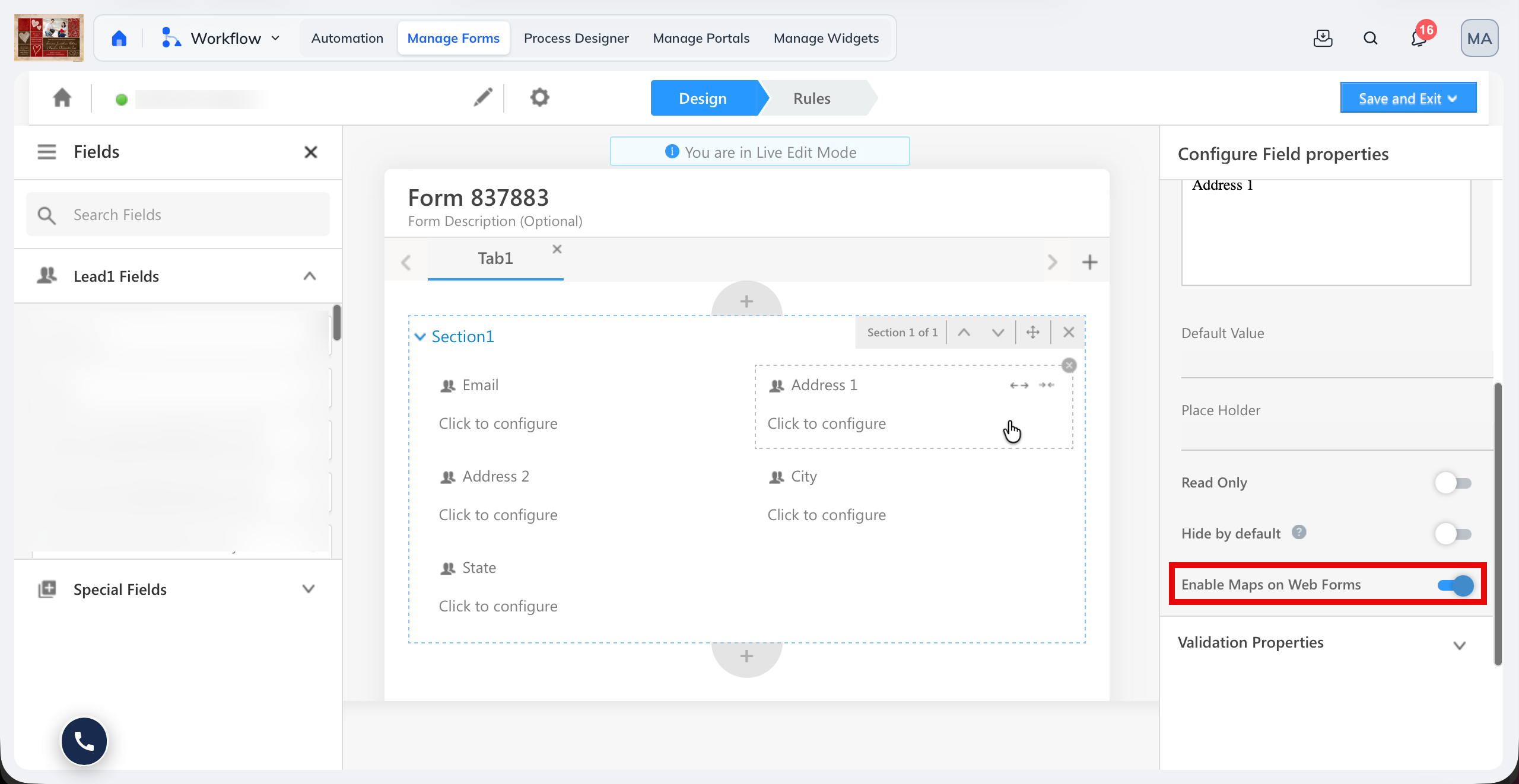
- Add the Address 1 system field to the form.
- Turn on the Enable Maps on Web Forms setting.
You can add other system fields such as State and City alongside Address 1, but the map setting itself is available only on the Address 1 system field.
Any Questions?
We’d love to answer your questions or hear your own unique use cases. Feel free to share your experiences in the comments section below.