


Get Started

Sales Suite
Field Ops
Marketing
Service CRM
Integrations & Apps
FloStack
LeadSquared Support Access

Updated
05 Aug 2024 | 06:42 PM
1. Feature Overview
If you submit a ticket to LeadSquared our support representatives may request temporary access to your account.
Don’t fret! We only need access for troubleshooting purposes. Our support representatives can’t export your leads. Rest assured, the confidentiality of your data is important to us.
2. Prerequisite
You must be an administrator to use this feature.
3. Procedure
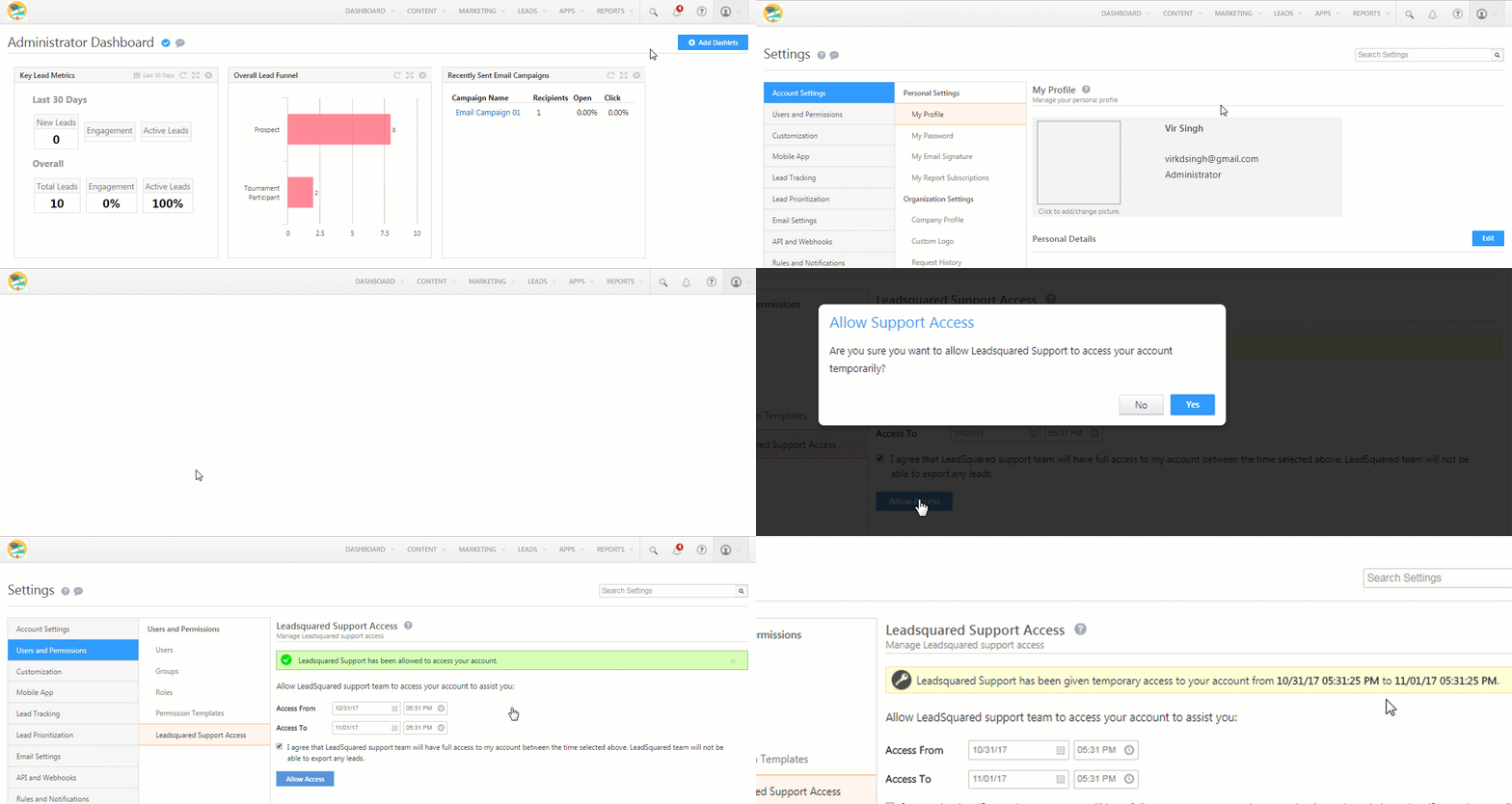
To grant us support access to your LeadSquared account –
- Navigate to My Account>Settings>Users and Permissions>LeadSquared Support Access.
- Select the period you want to grant access for. 1 day is our recommended default.
- Click the checkbox alongside the agreement note.
- Now, click the Allow Access button.
- On the Allow Support Access pop-up, click Yes.
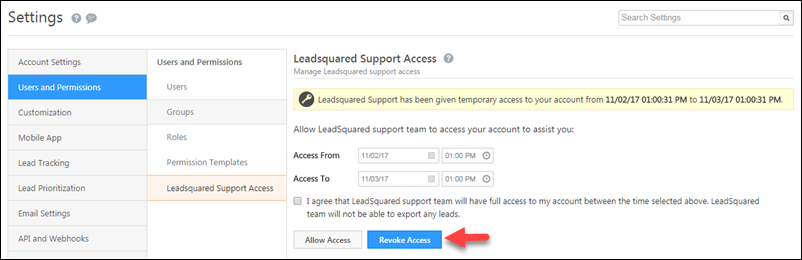
You can revoke access to your account at any time by clicking the Revoke Access button.
Any Questions?
Did you find this article helpful? Please let us know any feedback you may have in the comments section below. We’d love to hear from you and help you out!
Why do we get ” You don’t have access to this Lead” when we import leads as CSV file to lead Squared
Hello, Surya.
If a user tries to update leads through lead import and one/some of those leads lead are already available in the system but assigned to a different user, they will receive this error during import. Please check if the leads you’re trying to import already belong to a different owner in your account. If the problem persists, please reach out to support@leadsquared.com. We’ll get back to you ASAP.
where do i get leadsquared account
Hi Benjamin,
You can navigate to the login page and click ‘Take a Demo’. You can even go to our website and click the ‘Book a Demo’ button on there. Alternatively, you could sign up using this landing page.