


Get Started

Sales Suite
Field Ops
Marketing
Service CRM
Integrations & Apps
FloStack
Display Support Tickets on the Lead Details Page

Updated
03 Jun 2026 | 03:38 PM
1. Feature Overview
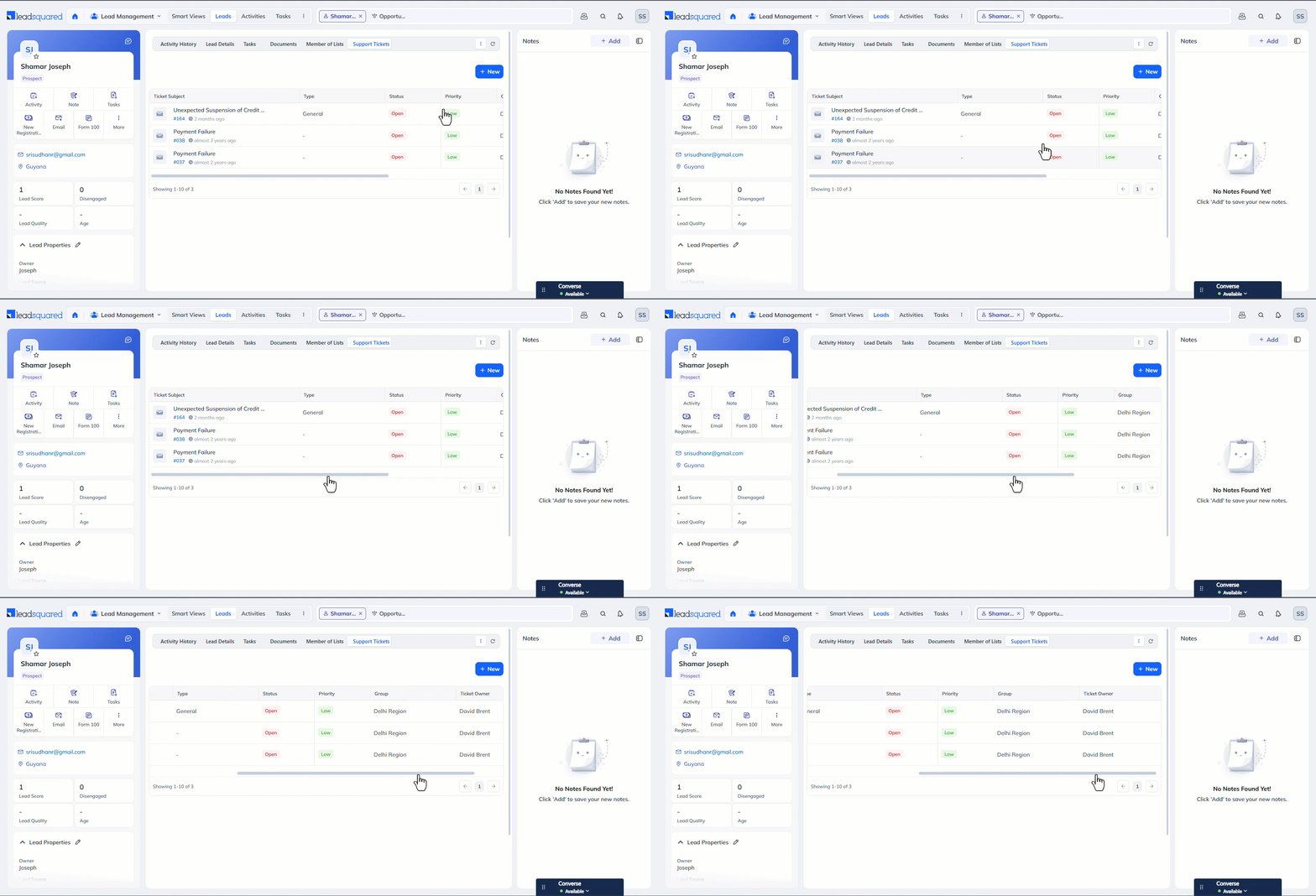
Support tickets created through LeadSquared Service CRM appear in a list view on the Manage Tickets page, and you can view each ticket on the Ticket Details page. Each ticket is associated with a lead or opportunity. In this article, we’ll configure how to view tickets tagged to a lead on the Lead Details page.
2. Prerequisites
- Service CRM should be enabled and configured on your account.
- You must be a Sales CRM Admin user to configure this feature.
- You must enable the Custom Tab connector on your account.
3. How it Works
- Use LeadSquared’s Custom Tab connector to create and display a custom tab on the Lead Details page.
- On this custom tab, configure the static URL below. This URL fetches tickets tagged to the lead whose Lead Details page you are viewing.
- Once the tab is configured, your agents can view the tickets created on the lead from the Lead Details page.
4. Configure the Custom Tab Connector
Once the connector is enabled on your account –
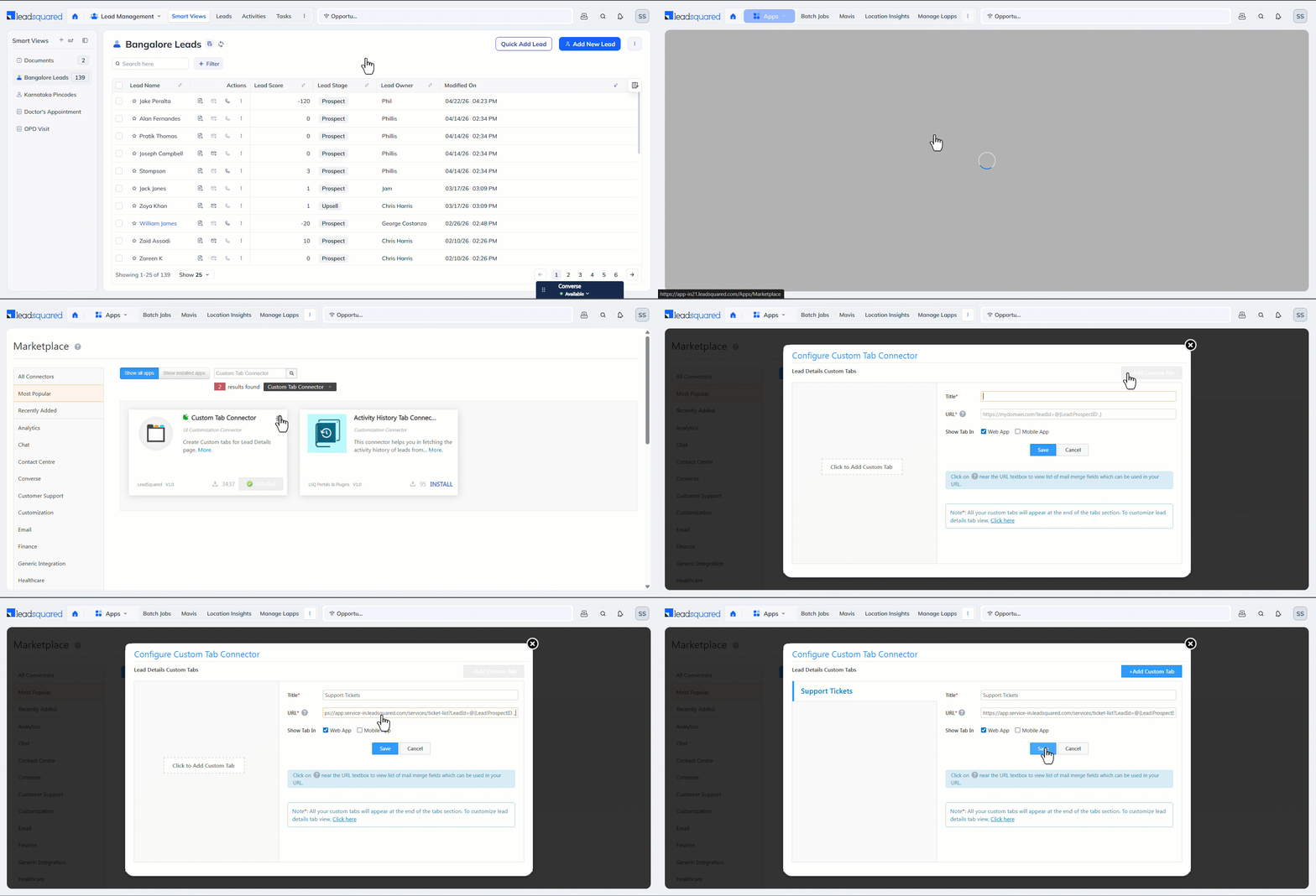
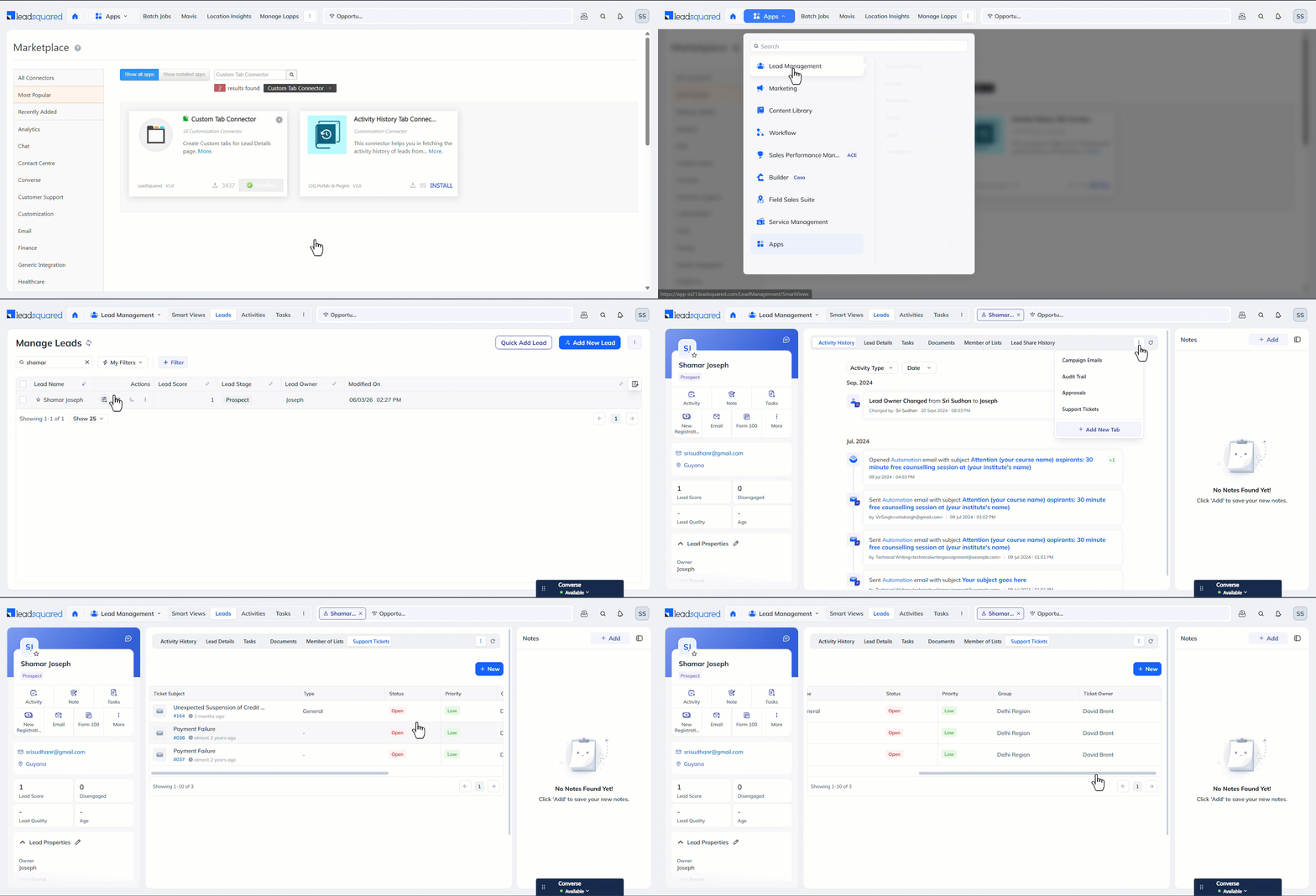
- Navigate to Apps>Apps Marketplace, and search for Custom Tab Connector.
- On the Configure Custom Tab Connector pop-up, click the Add Custom Tab button, and enter the following details –
- Title – Enter a display name for the tab (e.g., “Support Tickets”).
- URL – Pass this URL –
https://app.service-in.leadsquared.com/services/ticket-list?LeadId=@{Lead:ProspectID ,} - Show Tab – Select Web App.
- If you want to display the tickets on your mobile app, select Mobile App.
- Once you’re done, click Save.
Note: By default, this custom tab appears at the end of the list of tabs configured on your account. To change the tab order, refer to Customize the Lead Details Page.
5. View Tickets
Once the tab is configured, navigate to the Lead Details page to which the tickets are tagged. Under the custom tab you created, you can view all the tickets tagged to this lead.
Any Questions?
Did you find this article helpful? Please let us know any feedback you may have in the comments section below. We’d love to hear from you and help you out!
Subscribe
0 Comments
Newest